
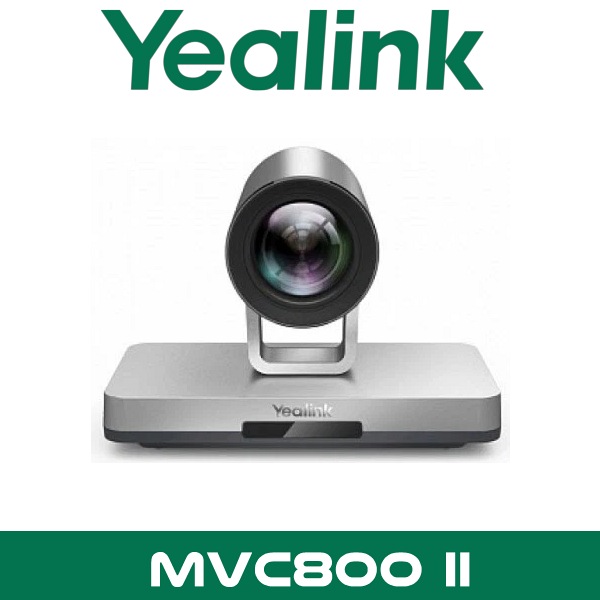
Description
Yealink MVC800 II Microsoft Teams Room System Dubai Conference Bundle UAE
You know the room. Fourteen chairs. Glass on one side. AC vent right above the far end. The CEO sits nearest the display, but the finance team joins from the other end of the table and sounds like they’re in a tunnel. Then someone shares a laptop and the room loses audio. Five minutes gone before the call even starts.
That’s the kind of room the Yealink MVC800 II was built for. Not a huddle room. Not a two-person office. A proper Microsoft Teams Room setup for medium and large meeting spaces where fixed-lens bars can struggle with table depth, voice pickup, and camera reach. In Dubai offices with boardrooms in DIFC, training spaces in Business Bay, and regional headquarters in JLT, that still matters. A lot.
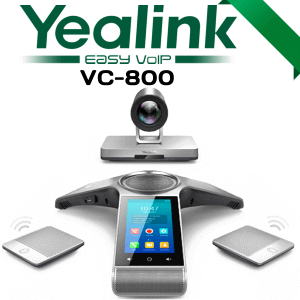
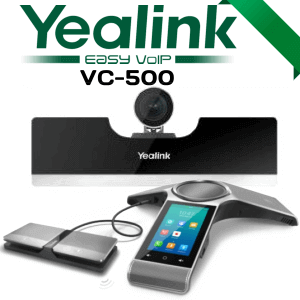
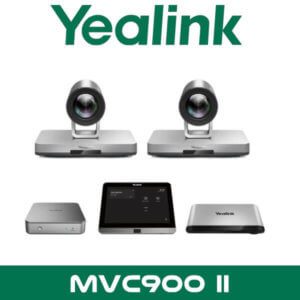
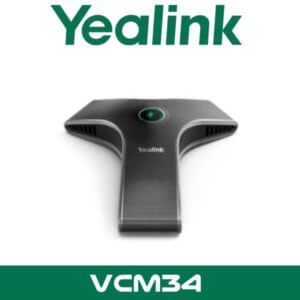
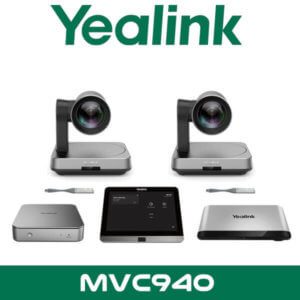
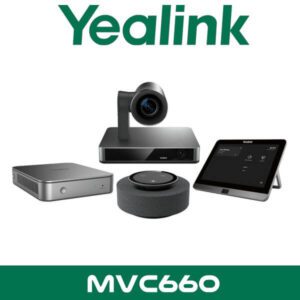
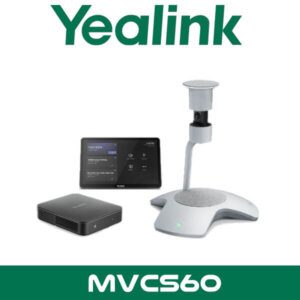
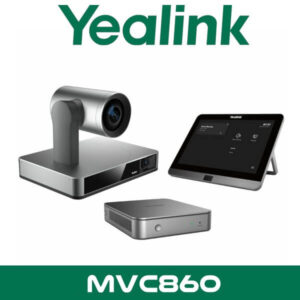
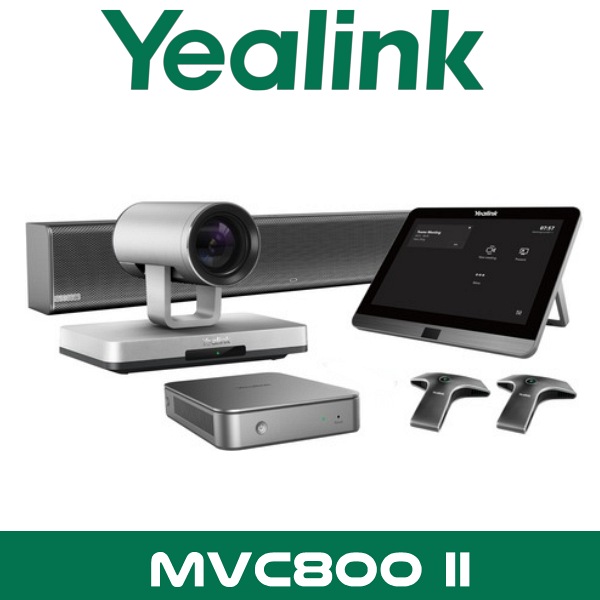
The bundle combines Yealink’s MCore mini-PC, MTouch II touch panel, UVC80 PTZ camera, room audio components, and either two or three VCM34 microphones depending on the package. So instead of piecing together a room from separate parts, procurement gets a known Teams Rooms bundle and the IT team gets a cleaner rollout path.
12x
Optical PTZ Zoom
20MP
UVC80 Camera Sensor
8″
MTouch II Panel
2 or 3
VCM34 Mic Arrays
Why Buyers Still Ask for Yealink MVC800 II in Dubai
Some projects don’t start from scratch. They start with a consultant BOQ written around Teams Rooms on Windows, a camera with optical zoom, and a room that’s already wired for table mics. That’s why Yealink MVC800 II Dubai searches still come up in procurement. The model suits medium and large rooms where people need the camera to move, zoom, and frame properly instead of relying on a wide fixed shot from under the screen.
For UAE buyers, the other reason is standardisation. A company might already have older Yealink rooms in Dubai Silicon Oasis, Abu Dhabi, or Sharjah and want another room that behaves the same way from the user side. Same Teams interface. Same tabletop control flow. Same admin model. That helps if the local IT team supports several branches and doesn’t want one room running a totally different user experience.
It also sits naturally beside other Yealink collaboration products. Buyers comparing this system usually also review our Yealink video conferencing systems and broader video conferencing solutions in Dubai to see whether a room needs a PTZ bundle like MVC800 II or a newer all-in-one setup.
Technical note: Yealink designed MVC800 II around a dedicated Microsoft Teams Rooms on Windows bundle, not a loose mix of USB devices. That matters for procurement teams trying to keep room standards consistent across multiple offices.
Product Overview
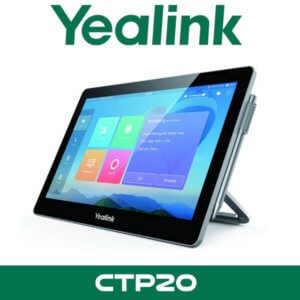
At the center of the system is the MCore mini-PC. It runs the Microsoft Teams Rooms experience and is built for room deployment rather than desktop use. On the table, the MTouch II panel gives users the controls they actually need without hunting around for a keyboard or wireless mouse. Start meeting. Join scheduled call. Share content. Control camera. Done.
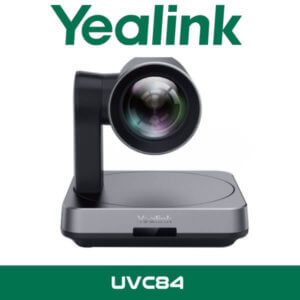
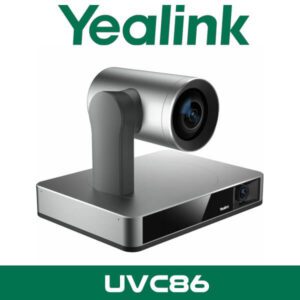
Then there’s the UVC80 camera. This is where MVC800 II separates itself from simpler room bars. The PTZ design gives you reach across a long boardroom table, and the 12x optical zoom is useful when the display wall is several metres away from the participants. In rooms with deep table layouts, that’s a practical gain, not a brochure line.
Audio is built around Yealink’s room soundbar and VCM34 microphone arrays. The bundle comes in two versions, with either two or three VCM34 units, so the room can be matched more closely to table size and seating pattern. That helps in training rooms, divisional meeting spaces, and executive boardrooms where one mic on the table simply isn’t enough.
Another useful detail for integrators: Yealink’s deployment method uses a single CAT5e cable between the TV area and the conference table area in the standard room layout. Less clutter on the table. Cleaner cable path. Easier handover for fit-out contractors working around existing trunking in UAE offices.
Platform Compatibility and Room Workflow
The Yealink MVC800 II is built for Microsoft Teams Rooms on Windows. That’s the main fit. If your client wants a dedicated Teams meeting room experience with one-touch join, room calendar integration, in-room meeting controls, and a familiar Microsoft workflow, this is the reason the system exists.
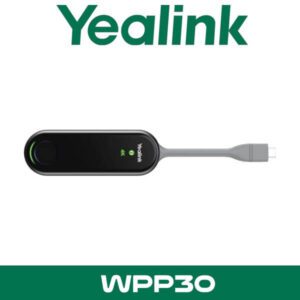
For content sharing, the room supports wired sharing and can also support wireless presentation with the optional WPP20. In practice, that helps in Dubai meeting spaces where guests walk in with mixed devices and don’t always want to patch directly into the room table box. Some buyers in DMCC and DIFC ask for Teams Rooms because they need a controlled meeting platform but still want easy content handoff during client presentations.
From the admin side, Yealink supports device management for monitoring, maintenance, diagnostics, and room-level support tasks. That matters more than people think. Once a company has five, ten, or twenty meeting rooms across Dubai, Abu Dhabi, Sharjah, and remote branches, the issue stops being “can we install one room?” and becomes “how do we keep all of them visible to IT?”
Key point: MVC800 II is a Microsoft Teams Rooms package first. Buyers comparing Teams and Zoom should base the decision on room standard, user workflow, and support model, not just camera specs. If the company already runs Teams Rooms across multiple branches, keeping that standard usually saves time later.
If the project also involves Microsoft calling integration, branch support, or wider workplace systems, it usually makes sense to review the room alongside related pages such as Microsoft Teams Rooms in Dubai and our IT AMC support services for multi-room environments.
Features That Matter in Real Meeting Rooms
The headline feature is still the PTZ camera. Yealink uses the UVC80 with a 20 megapixel sensor and 12x optical zoom, which gives the room more framing flexibility than fixed front-of-room bars. In a long room with senior staff at one end and remote participants on a large screen at the other, that optical reach helps keep faces usable instead of tiny.
The second strong point is the controller experience. MTouch II uses an 8-inch IPS display with multi-touch input and a motion-based wake-up function. Walk into the room and the panel is ready. No fumbling. No half-awake tablet mounted on the table. It sounds small, but it changes how the room feels when visitors are already seated and waiting.
Technical note: The MTouch II panel also includes a headset jack and adjustable viewing angle, which is useful when the console sits on a long polished boardroom table with changing seating positions.
Content sharing is another area where buyers often miss the detail. The room supports wired sharing through the meeting setup and can be expanded with wireless sharing using WPP20. Yealink also supports workflows that reduce the usual audio confusion during laptop presentation handoff. For training rooms and client briefing rooms, that’s a practical benefit.
Then there’s integration. Yealink supports room-control related workflows through RoomConnect, which is relevant for larger meeting spaces tied to third-party control and AV environments. In plain terms, if the room includes more than a display and a camera, the system is easier to place into a wider meeting-room design.
Finally, there’s management. On a single-room job, remote diagnostics sound optional. On a 12-room corporate rollout, they’re not. Yealink’s management platform support gives IT teams a cleaner way to watch room status, troubleshoot devices, and keep meeting spaces visible without sending someone on-site every time a panel stops responding.
Key point: MVC800 II makes more sense in rooms where table depth, seating spread, and camera distance are real issues. If the room is compact and everyone sits within a few metres of the screen, a newer all-in-one bar may be the simpler buy. For larger boardrooms, PTZ still has a place.
Where This Sells — Ghana / Legal and Corporate Boardrooms
PTZ Teams room bundle for firms that host client meetings across multiple cities
AV and IT integrators in Ghana buy Yealink MVC800 II for legal firms, regional corporate offices, and advisory businesses that need a formal Microsoft Teams room with a moving camera and table microphones. Typical project size is 1 to 4 rooms per office, with 8 to 18 seats per room and FOB Dubai pricing for approved quantities. The appeal is simple: Teams-certified room workflow, cleaner cable layout, and better camera reach for long tables. It also suits export buyers standardising several meeting rooms at once before local rollout.
Specifications
| Specification | Detail |
|---|---|
| Product type | Microsoft Teams Rooms system for medium and large meeting rooms |
| Main platform | Microsoft Teams Rooms on Windows |
| Mini-PC | Yealink MCore mini-PC |
| Touch console | Yealink MTouch II, 8-inch IPS display, 10-point touch, motion sensor |
| Camera | Yealink UVC80 PTZ camera, 20MP sensor, 12x optical zoom |
| Audio | Yealink room audio bundle with VCM34 microphone arrays |
| Microphone options | Bundle variant with 2 x VCM34 or 3 x VCM34 microphones |
| Content sharing | Wired sharing supported; optional WPP20 for wireless presentation |
| Room cabling | Single CAT5e cable between conference table area and TV area in standard deployment |
| Management | Supports Yealink device management platform options for monitoring and support |
| Certification | Microsoft Teams Rooms certified hardware listing |
| Typical use | Boardrooms, training rooms, executive meeting rooms, medium-to-large conference spaces |
Which MVC Bundle Fits Better?
This is where procurement teams need a straight answer. Yealink MVC800 II is still relevant when the project spec already calls for it, when the client wants a PTZ Teams Rooms bundle, or when there are existing Yealink rooms on site and the business wants the same user flow across multiple spaces. That happens more often than you’d think in UAE head offices and regional branches.
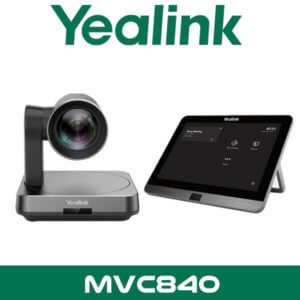
But it isn’t the only path. Yealink now positions MVC840 as the replacement route for new demand. So if the room design is still being finalised and there’s no need to match an older deployment, it makes sense to compare before raising the PO. Some buyers want continuity. Others want the newer model path. Both are valid, but they’re different buying decisions.
| Feature | Yealink MVC800 II | Yealink MVC840 |
|---|---|---|
| Buying case | Existing BOQ match, PTZ room standard, expansion of older Teams rooms | Newer replacement path for fresh projects |
| Camera style | UVC80 PTZ with 12x optical zoom | Compare on current project scope and room standard |
| Project type | Medium to large rooms with longer table depth | Often considered for new room refresh cycles |
| Status | End-of-sale listing from Yealink | Current replacement direction from Yealink |
Not the right fit?
If this is a brand-new room design and you are not tied to an older project spec, compare against the Yealink replacement path before ordering. MVC800 II is honest for expansion and standardisation jobs. For fresh-room planning, ask for the newer alternative as well.
What’s in the Box
The exact package depends on the bundle code, but the standard Yealink MVC800 II room kit is built around the same core meeting-room parts. That’s useful for resellers because the bill of materials stays predictable even when the mic count changes.
| Item | Detail |
|---|---|
| MCore | Yealink MCore mini-PC for Microsoft Teams Rooms on Windows |
| Touch panel | Yealink MTouch II 8-inch meeting controller |
| Camera | Yealink UVC80 PTZ camera with 12x optical zoom |
| Room audio | Yealink room audio bar / speaker component as supplied in official bundle |
| Microphones | 2 x VCM34 or 3 x VCM34 depending on selected kit |
| Cables and mounting accessories | Supplied according to official Yealink room bundle packout |
Not included — order separately if needed
Room display, display mount, structured cabling beyond room scope, optional WPP20 wireless presentation pod, Microsoft Teams Rooms licence, and any third-party control hardware. WhatsApp for a combined quote with accessories.
Stock Signals for Resellers and Project Buyers
This is usually not a walk-in retail purchase. It’s a planned room project, branch expansion, or a replacement against an approved room standard. That means buyers care about the same four things every time: stock in Dubai, bundle accuracy, project quantities, and whether the room can be quoted cleanly with the right accessories on one line item.
Stock & Export: Yealink MVC800 II in stock in our Dubai warehouse subject to current availability. FOB Dubai pricing available for resellers and project quantities. Ships to Africa, GCC, and South Asia. Bulk orders — same-day quote on WhatsApp. Distributor pricing for registered IT companies.
For Dubai and Abu Dhabi projects, buyers often ask for the room kit, display recommendation, wireless sharing option, and cabling scope together. That’s the practical way to buy it. One quote. Fewer missing parts. Fewer surprises when the AV contractor opens the cartons on-site.
Installation is handled as part of project supply where required, but the real value is getting the room bill right before site mobilisation.
Often Bundled With This Product
Bundling options resellers usually ask for
Resellers quoting the Yealink MVC800 II normally bundle it with a broader Microsoft Teams Rooms solution, the wider Yealink distributor range in Dubai, and other Yealink video conferencing systems when matching room size across a full office rollout.
For mixed-brand fit-outs, buyers also compare with Logitech video conferencing, Neat room systems, and Zoom Rooms packages where the client is not fixed on Microsoft Teams.
For ongoing support after handover, the usual add-on is IT AMC support in Dubai so meeting rooms in Dubai, Sharjah, and Abu Dhabi stay under the same service umbrella.
Industry Fit
One strong match for MVC800 II is legal and advisory firms. In DIFC and Abu Dhabi Global Market environments, boardrooms often need formal meeting control, predictable camera coverage, and a consistent Teams workflow for client calls, internal reviews, and regional sign-off meetings. A PTZ camera still makes sense there because table depth is real and people don’t always sit close to the display wall.
It also works well in training rooms and corporate briefing spaces. You can run scheduled Teams meetings, bring in remote participants, and keep the room operation simple enough that the host doesn’t need AV support for every call. That matters in offices where the admin team, not IT, often starts the meeting.
Yealink MVC800 II UAE and Abu Dhabi Supply
Yealink MVC800 II UAE demand usually comes from multi-branch businesses, consultants preparing meeting-room BOQs, and procurement teams replacing older room kits with like-for-like standards. Available in Dubai, Abu Dhabi, Sharjah, Ajman, Ras Al Khaimah, Fujairah, and Umm Al Quwain, with support for free-zone projects in DMCC, DIFC, JLT, Business Bay, DAFZA, and JAFZA.
For buyers searching Yealink MVC800 II Abu Dhabi, the usual requirement is simple: keep the Microsoft Teams room experience consistent across head office and branch boardrooms. Same control flow. Same room behaviour. Less retraining for staff.
Export to Africa, GCC, and South Asia
Vector Dubai supplies Yealink MVC800 II for export buyers needing FOB Dubai pricing on project quantities. For collaboration projects, demand commonly comes from IT integrators and AV installers in Kenya, Nigeria, South Africa, Ghana, and Tanzania where Teams room deployments are expanding beyond huddle spaces into formal boardrooms.
GCC buyers in Saudi Arabia, Oman, Qatar, Kuwait, and Bahrain also ask for room bundles when standardising Microsoft meeting spaces across regional offices. South Asia demand usually comes from project importers and IT resellers in Pakistan, Sri Lanka, Bangladesh, and Nepal that need a known Teams-certified room package from Dubai stock.
For export, the main questions are bundle confirmation, mic count, optional sharing accessories, and carton readiness for freight. That’s why project buyers usually request one consolidated quote rather than separate room components.
About Vector Dubai — Authorised Yealink Distributor
Vector Dubai is an authorised Yealink distributor in Dubai, UAE, supplying the Yealink MVC800 II Microsoft Teams Room System across all 7 UAE emirates and for export to Africa, GCC, and international markets. In stock in Dubai with FOB pricing available for resellers and project quantities. Operating since 2010. Contact: +971 4 450 4145 · sales@vdsae.com · Monday–Saturday 8AM–6PM.
FAQ
Is Yealink MVC800 II still available, or has it been replaced?
Yealink lists MVC800 II as end-of-sale and points buyers to MVC840 as the replacement direction. MVC800 II can still make sense for approved BOQs, room expansion, or matching existing Yealink Teams rooms already deployed in your office network.
How many microphones come with the Yealink MVC800 II bundle?
There are official bundle variants with either 2 x VCM34 or 3 x VCM34 microphones. The right option depends on room length, seating count, and whether the table is a single boardroom table or a wider multi-segment layout.
Is this system for Microsoft Teams only, or can I use it for Zoom Rooms too?
MVC800 II is built as a Microsoft Teams Rooms on Windows system. If the client is standardised on Zoom Rooms instead, it is better to quote for that platform directly rather than forcing a Teams-first room into a Zoom workflow.
Can I get reseller pricing for 5 or 10 meeting rooms?
Yes. Reseller and project pricing can be structured for multi-room rollouts, export shipments, and office-wide standardisation projects. Buyers usually request the room bundle together with displays, sharing accessories, and support scope so the quote matches the actual project.
Does the Yealink MVC800 II support wireless presentation?
Yes, wireless presentation can be added with the optional WPP20. Wired content sharing is also supported, which is often preferred in formal boardrooms where guest presenters need a predictable handoff.
Can I order Yealink MVC800 II for a project in Kenya, Ghana, or Saudi Arabia?
Yes. Export supply is available with FOB Dubai pricing for approved quantities. Common buyer types include AV integrators, IT resellers, and corporate project teams buying for boardrooms and training rooms across Africa and GCC markets.
Yealink MVC800 II in stock in Dubai. Supply across all 7 UAE emirates. AED pricing confirmed on WhatsApp. Monday to Saturday, 8AM to 6PM.
+971 4 450 4145 · sales@vdsae.com · Mon–Sat 8AM–6PM