
Description
Yealink MVC300 II Dubai Microsoft Teams Room System for Small Meeting Rooms UAE
A small meeting room usually fails in small ways. The table is too close to the screen. The glass wall throws the audio back into the room. One person joins from Abu Dhabi on Teams, another plugs in from a guest laptop, and suddenly the first five minutes are gone. No one wants that in a DIFC client review or a DMCC weekly management call.
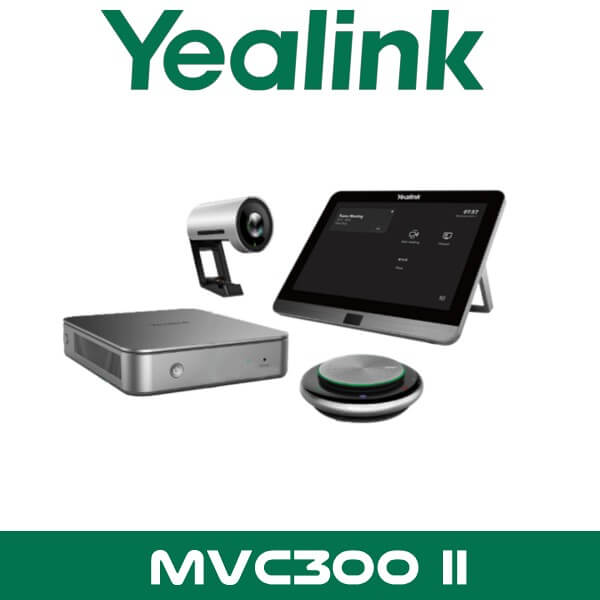
The Yealink MVC300 II is built for exactly that type of room. Not a large boardroom. Not a training hall. A proper focus room or small meeting room for around 5 to 7 people, with the core hardware already matched: room PC, touch controller, 4K camera, and speakerphone. For UAE integrators and procurement teams, that matters. Less guesswork. Less compatibility chasing. Cleaner quoting.
If your office runs Microsoft Teams as the default meeting platform, this kit gives you a proper room system instead of a collection of separate USB devices. The result is simpler for users and easier to support. In Business Bay offices with back-to-back meetings, that’s usually the difference between a room people trust and a room they avoid.
4K
UVC30-Room Camera
120°
Wide Field of View
8″
Touch Console
5–7
Room Capacity
Why This Kit Works in Small UAE Meeting Rooms
Small rooms create their own problems. People sit close to the display, so the camera needs a wider view. Hard finishes like glass partitions, gypsum walls, and tiled floors can make speech sound sharp or hollow. Then there’s the practical side. Nobody wants a table covered in adapters, spare cables, and little USB boxes.
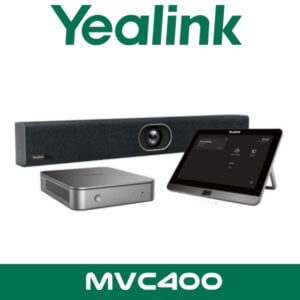
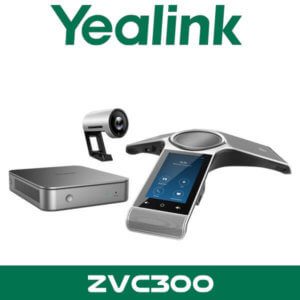
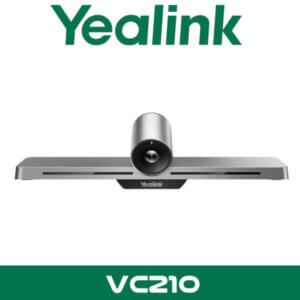
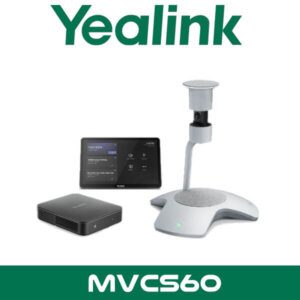
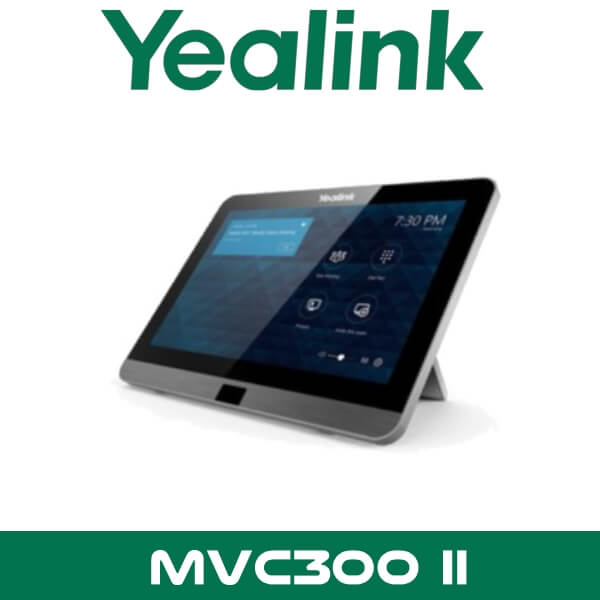
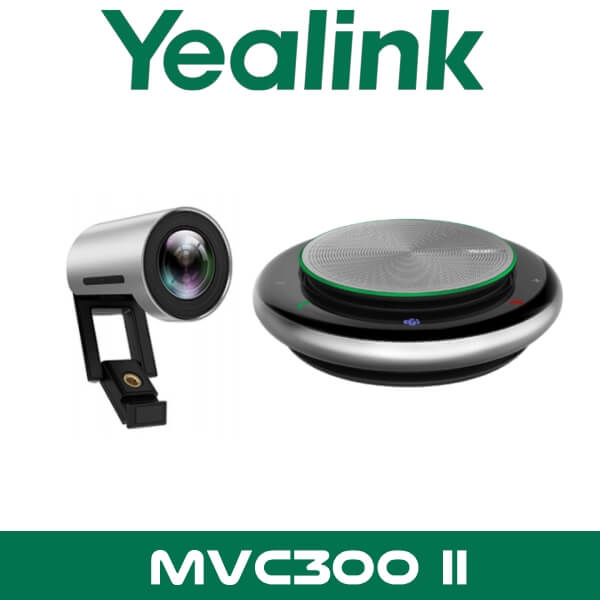
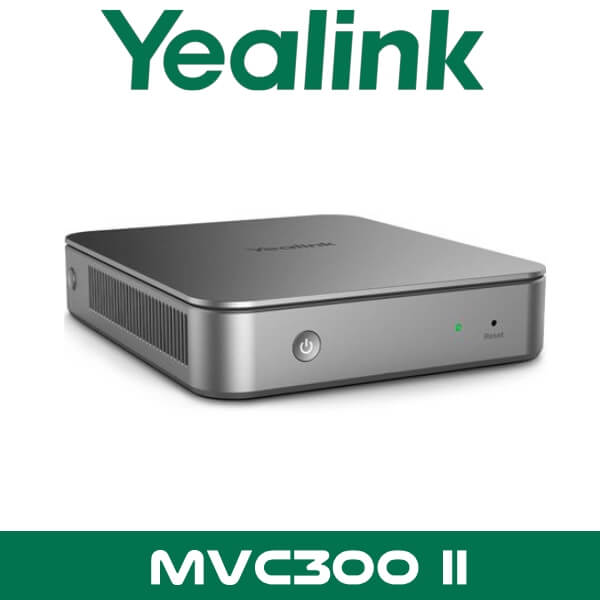
The MVC300 II solves that by packaging the key room elements together. The UVC30-Room camera handles video. The CP900 handles speakerphone duties. The MTouch II gives users a familiar tap-to-join experience. The MCore mini-PC runs Microsoft Teams Rooms on Windows in the background, so the room behaves like a room appliance, not a shared laptop.
For companies standardising several spaces at once, this is also easier to roll out than piecing together separate camera, compute, and control hardware. That matters in Dubai fit-outs where rooms may be handed over in phases. One floor this month. Another floor next month. Same user experience across both.
If you’re comparing options for a Teams-first office, this package sits neatly between ad-hoc USB setups and larger multi-camera room systems. It also fits naturally alongside our Yealink video conferencing range and broader video conferencing systems in Dubai for customers planning room-by-room standardisation.
Key point: Yealink positions the MVC300 II for focus rooms and small meeting rooms, not large boardrooms. If your room regularly seats 8 to 12 people, you’ll want to move up to a larger Teams Room package.
Platform Compatibility and Teams Room Workflow
The core story here is Microsoft Teams Rooms on Windows. That’s what this system is designed around. Users walk in, see the meeting on the touch panel, tap once, and join. No need to borrow a host laptop. No need to ask whose cable works. No need to pass around a dongle before the meeting even starts.
For many Dubai offices, that’s the right workflow because Teams is already the internal standard for chat, calls, calendars, and hybrid meetings. It suits legal firms in DIFC, project teams in JLT, and multi-branch companies moving managers between Dubai and Abu Dhabi. Same account structure. Same room experience. Fewer user errors.
Technical note: The MVC300 II is a Microsoft Teams Rooms system. That’s the correct buying angle for this model. It’s not the product to position as a native Zoom Rooms package unless the client is planning a Teams-based room strategy with approved interoperability workflows.
The touch console also supports a cleaner meeting-room habit. Start the call from the table. Control mute, camera, and content sharing from one place. In practice, that reduces the “someone touched the wrong laptop setting” problem that shows up in small executive rooms.
For IT teams handling multiple meeting spaces, Yealink’s device management approach adds another useful layer. Remote monitoring and device administration help when you have more than one room in service across Dubai, Sharjah, or Abu Dhabi. Instead of waiting for users to complain, support teams can keep the estate more predictable. If the customer also wants help around connectivity and room-side integration, this pairs naturally with our IT AMC support in Dubai for ongoing maintenance.
What You Actually Get in the Yealink MVC300 II
This isn’t just a camera with a speakerphone added in. The bundle is built around five working parts that solve different parts of the room problem.
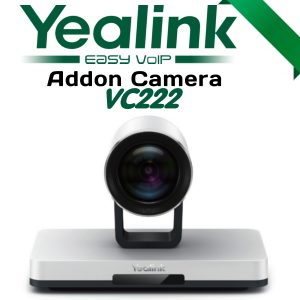
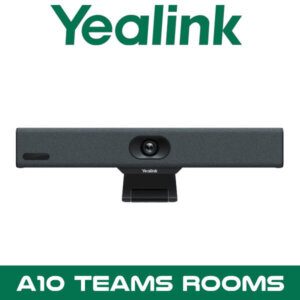
UVC30-Room 4K camera: This is the visual front end of the room. The 120° field of view helps in tighter rooms where participants sit close to the display wall. That layout is common in compact meeting rooms across Business Bay and DAFZA, where the room size looks generous on a floor plan but feels tighter once the table goes in.
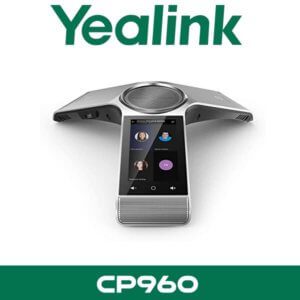
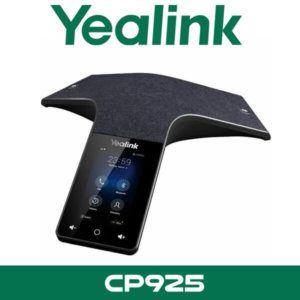
CP900 speakerphone: The CP900 gives you a proper conference audio point at the table instead of relying on laptop microphones. Voice pickup around the table is more consistent, which matters in glass-heavy offices where sound reflections can make meetings tiring.
Key point: The CP900 uses a six-microphone beamforming design with 360° voice pickup. For a 4- to 6-seat room, that’s usually a better fit than expecting one laptop on one side of the table to capture everyone clearly.
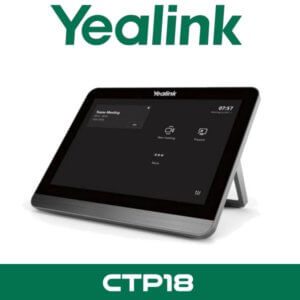
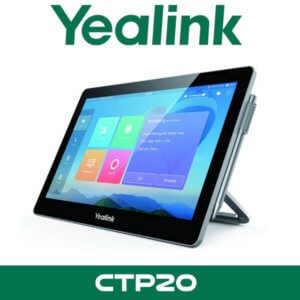
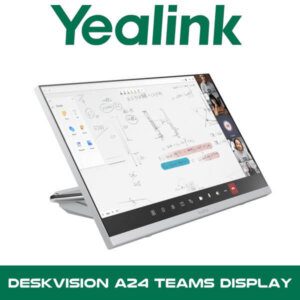
MTouch II touch panel: This is where day-to-day usability lives. An 8-inch touch display at the table is easier for non-technical users than controlling meetings from a PC under the display. It also supports the fast “walk in, tap join, start talking” flow that most companies want from a room system.
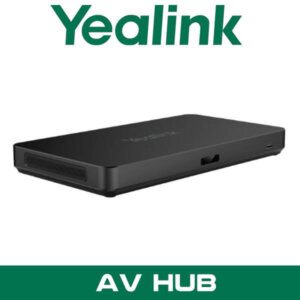
MCore mini-PC: The room compute stays out of the way, but it’s what turns the room into an appliance. Dedicated Windows-based Teams Rooms hardware means the room isn’t dependent on whoever happens to bring a laptop that day.
Content sharing support: The MVC300 II allows both wired and wireless sharing paths, which makes life easier for mixed-user meeting rooms. A guest presenter may prefer HDMI or USB-C. A regular internal user may already be set up for Yealink’s wireless sharing workflow. Both cases show up in UAE offices all the time.
Technical note: One of the practical upgrades in the MVC300 II generation is the cleaner table-to-display connection approach using a single CAT5e path for data and power between room zones. In finished offices, that usually means faster retrofits and a tidier table.
Another small but useful detail is the room wake-up behaviour through the touch console’s human motion sensor. That sounds minor until you’ve managed real meeting rooms. It reduces the number of times users think the room is off or unresponsive when all they want to do is start the next call.
For Teams Room projects in Dubai, those small operational details add up. The camera framing. The table control. The room wake-up. The cleaner cabling. None of them is flashy alone. Together, they make the room easier to trust.
Where This Sells — Tanzania Corporate Offices
Where This Sells — East Africa / Corporate Meeting Rooms
Resellers supply this to teams standardising small Microsoft Teams rooms across multiple branches
IT integrators in Tanzania typically buy the Yealink MVC300 II for finance offices, regional headquarters, and executive discussion rooms where the requirement is a proper Teams room for 4 to 6 people without the cost of a larger boardroom package. A normal rollout is 3 to 12 rooms, quoted as a project and shipped FOB Dubai with reseller margin built in. This also fits branch expansion projects where one room in each location needs the same user experience. For export buyers, the appeal is simple: compact bundle, recognised Teams platform, and easier standardisation across cities.
Yealink MVC300 II Specifications
| Specification | Detail |
|---|---|
| Product type | Microsoft Teams Rooms system for focus rooms and small meeting rooms |
| Recommended room size | Typically 5 to 7 people |
| Camera | Yealink UVC30-Room, 4K, 120° field of view, auto framing |
| Audio | Yealink CP900 speakerphone with six-microphone beamforming array and 360° voice pickup |
| Touch panel | Yealink MTouch II, 8-inch display, 1280 × 800 resolution |
| Compute | Yealink MCore mini-PC, Intel Core i5, 8GB RAM, 128GB SSD |
| Operating platform | Microsoft Teams Rooms on Windows |
| Content sharing | Supports wired sharing and optional wireless sharing workflows |
| Installation layout | One-CAT5e table-to-display deployment architecture on MVC300 II |
| Management | Yealink device management and remote administration support |
| Availability | Available in Dubai, Abu Dhabi, Sharjah and across UAE for supply and project rollout |
Which Version Fits, and When to Move Up
Buyers still search for Yealink MVC300 Dubai, but the more practical page to rank and quote today is the MVC300 II. That’s the version with the cleaner room cabling approach, newer touch panel generation, and the stronger fit for standard small Microsoft Teams Rooms deployments. For procurement teams, this matters because old model names stay in tenders long after the room design has moved on.
If your requirement is a 4- to 6-seat room, executive cabin, interview room, or compact client discussion room, the MVC300 II usually lands in the right place. It gives you the Teams Room workflow without overbuilding the room. For many UAE projects, that’s the sweet spot. Enough structure to make meetings reliable. Not so much hardware that the quote becomes hard to defend.
| Feature | MVC300 | MVC300 II |
|---|---|---|
| Room focus | Small Teams rooms | Focus rooms and small Teams rooms |
| Touch controller | MTouch | MTouch II |
| Camera | UVC30 | UVC30-Room |
| Compute platform | Mini-PC, earlier generation | MCore mini-PC, newer generation |
| Table-to-display deployment | Standard multi-component room install | One-CAT5e deployment approach |
| Best use case | Legacy search and replacement context | Current small-room Teams deployment |
Not the right fit?
If your room regularly seats 8 or more people, or you need wider audio and camera coverage for longer tables, move to a larger Microsoft Teams Rooms package instead of forcing the MVC300 II into a room it wasn’t built for.
What’s in the Box
For a standard Yealink MVC300 II room package, the bundle is designed to cover the core room stack rather than leave you sourcing bits from three suppliers. That helps resellers quote faster and helps end users understand what they’re actually buying.
You typically get the MCore mini-PC, MTouch II touch panel, UVC30-Room camera, CP900 speakerphone, mounting and cabling accessories, and the Microsoft Teams Rooms software environment on the room compute. That’s enough to turn a display-equipped room into a proper Teams meeting space without building the solution piece by piece.
Not included — order separately if needed
Front display, wall mount or trolley, structured cabling beyond the room kit, Teams Rooms licence, optional wireless sharing accessory, and any additional room audio expansion. WhatsApp for a combined quote if the customer wants a full room bill of materials.
Stock Signals for Dubai, Abu Dhabi, and Export Buyers
Stock & availability: Yealink MVC300 II is available for Dubai supply, Abu Dhabi projects, and UAE-wide delivery. FOB Dubai pricing is available for resellers, tender quantities, and branch rollouts. Export shipments can be arranged to Africa, GCC, and South Asia, with WhatsApp quotation support for registered IT companies and project buyers.
This is the sort of product buyers often need in multiples, not just one box. Three rooms in a new office. Six manager cabins in a regional headquarters. Ten sites standardised across branches. So the buying signal isn’t only whether one unit is available. It’s whether the vendor can quote project quantities cleanly and support a repeatable room standard across multiple sites.
That’s where Vector Dubai usually fits best. The Yealink MVC300 II UAE demand isn’t only from one-off buyers. It’s also from integrators and procurement teams building room standards for Sharjah offices, Abu Dhabi branches, and Dubai free-zone expansions.
Often Bundled With This Product
Often Bundled With This Product
Resellers quoting the Yealink MVC300 II often bundle it with a larger video conferencing system range for other room sizes, a dedicated Microsoft Teams Rooms setup for standardised platform rollouts, Zoom Rooms solutions for mixed estates, Yealink room hardware for brand consistency, IT AMC support for ongoing room monitoring, and Teams Direct Routing where room and calling projects sit under one Microsoft environment. Combined project pricing is available for multi-room quotes.
Where It Fits by Industry
This model works well in legal, consulting, financial, and professional-services offices where the room itself is small but the meeting still matters. Think partner rooms in DIFC. Client review rooms in Business Bay. Consultation spaces in healthcare offices where two or three people are in-room and a remote decision-maker joins on Teams. The room doesn’t need to look complicated. It just needs to start every time.
Education is another fit. Small management rooms, admissions offices, and interview rooms often don’t need a dual-camera setup or large-room DSP architecture. They need a tidy Teams room with wide-enough coverage and predictable room control. Same story in hotels. A compact executive meeting room or back-office conference room often lands right in the MVC300 II envelope.
Government and semi-government buyers can also use this where the brief is a closed, standardised Microsoft room environment rather than a bring-your-own-device meeting space. The attraction there is consistency. One known hardware profile. One known Teams workflow. Fewer support exceptions.
Yealink MVC300 II Abu Dhabi and UAE Supply
For search and quoting, the useful terms here are Yealink MVC300 II Dubai, Yealink MVC300 II Abu Dhabi, and Yealink MVC300 II UAE. Buyers across the Emirates usually want the same three things: proper Teams compatibility, clean room deployment, and a vendor who understands room hardware rather than just boxed product supply.
Vector Dubai supplies this model across Dubai, Abu Dhabi, Sharjah, Ajman, Ras Al Khaimah, Fujairah, and Umm Al Quwain. That includes free-zone projects in DMCC, DIFC, JLT, Business Bay, DAFZA, and JAFZA where meeting rooms are often handed over as part of fast office fit-outs. For those projects, simpler cabling and predictable room behaviour are usually more important than headline features.
If the customer is standardising several rooms, it’s also easier to keep Yealink under one product family rather than mixing brands room by room. That tends to simplify support, spare handling, and user training.
FOB Dubai Export for Africa, GCC, and South Asia
Export demand for the Yealink MVC300 II usually comes from IT integrators in Kenya, Nigeria, Ghana, and South Africa building small Microsoft Teams rooms for client offices and branch networks. GCC buyers in Saudi Arabia, Oman, Qatar, Kuwait, and Bahrain also use it where the brief is a compact Teams room rather than a large collaboration suite. South Asia enquiries often come from project importers in Pakistan, Sri Lanka, Bangladesh, and Nepal looking for FOB Dubai pricing on multi-room quantities. For export buyers, the advantage is simple: standard Yealink hardware, clean project quoting, and consolidated room shipments from Dubai. WhatsApp for reseller pricing and FOB Dubai availability.
About Vector Dubai — Authorised Yealink Distributor
About Vector Dubai — Authorised Yealink Distributor
Vector Dubai is an authorised Yealink distributor in Dubai, UAE, supplying the Yealink MVC300 II Microsoft Teams Room System across all 7 UAE emirates and for export to Africa, GCC, and international markets. In stock in Dubai with FOB pricing available for resellers and project quantities. Operating since 2010. Contact: +971 4 450 4145 · sales@vdsae.com · Monday–Saturday 8AM–6PM.
Frequently Asked Questions
Is the Yealink MVC300 II built for Microsoft Teams or Zoom Rooms?
This model should be positioned as a Microsoft Teams Rooms system. That’s the correct buying and deployment angle for the MVC300 II. If your customer wants a native Zoom Rooms package, quote the room around that requirement instead of forcing the wrong platform into the project.
Will the 120° camera work in a tight room with the table close to the screen?
Yes, that’s one of the reasons this model works well in compact rooms. The wide camera view helps when participants sit close to the display wall, which is common in smaller meeting rooms in Dubai offices and fit-outs.
Can I order 5 to 10 units for a multi-room rollout in Abu Dhabi or Dubai?
Yes. This is a normal buying pattern for the MVC300 II. It suits branch rollouts, floor-by-floor office handovers, and standardised room builds. Project and reseller quotations are available for multi-room quantities.
Does it support wireless content sharing, or do users need a cable every time?
The MVC300 II supports both wired sharing and optional wireless sharing workflows. That’s useful in guest-facing meeting rooms where one presenter arrives with USB-C and the next arrives expecting a wireless method.
Is reseller pricing available for export projects to Kenya, Nigeria, or Saudi Arabia?
Yes. FOB Dubai pricing can be quoted for export buyers, IT integrators, and registered resellers handling project quantities to Africa, GCC, and South Asia.
What’s the easiest way to get an AED quote for the Yealink MVC300 II in UAE?
Send the room quantity, city, and project timeline on WhatsApp. For example: 3 rooms in Dubai Marina, 6 rooms in Abu Dhabi, or 10-room rollout across UAE branches. That makes it faster to quote the right bundle and any related room accessories.
Yealink MVC300 II in stock in Dubai. Supply across all 7 UAE emirates and export support for project quantities. AED pricing and reseller quotes available on WhatsApp. Monday to Saturday, 8AM to 6PM.
+971 4 450 4145 · sales@vdsae.com · Mon–Sat 8AM–6PM