
Description
Yealink MeetingBar A20 Dubai
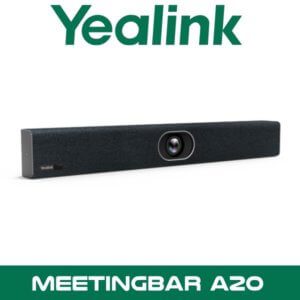
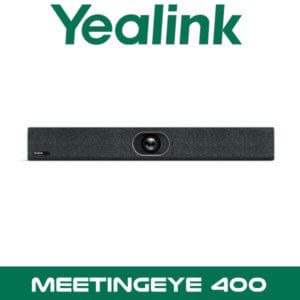
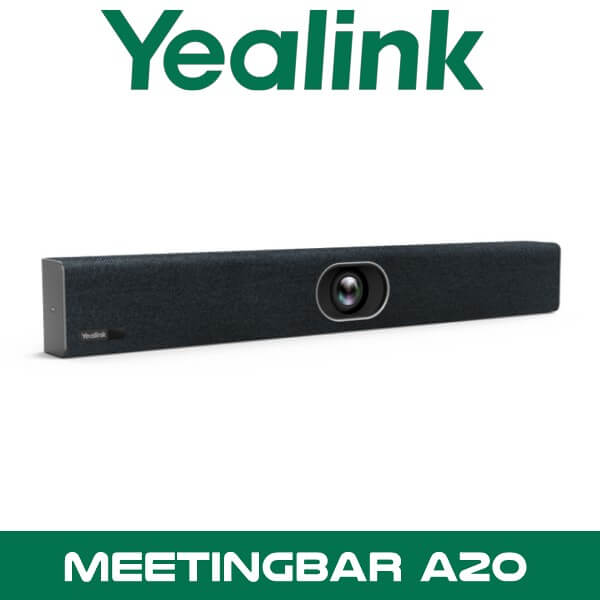
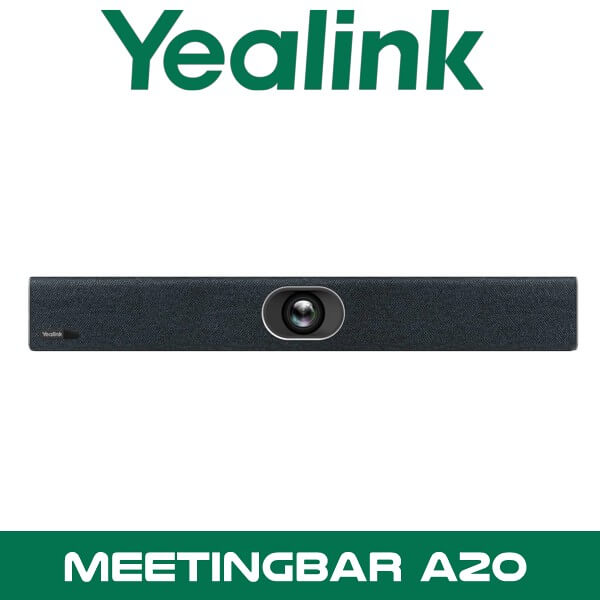
You don’t always get a proper boardroom. Sometimes it’s a six-seat room in Business Bay with a glass wall on one side and AC noise above the display. Sometimes it’s a compact discussion room in DIFC where the client wants Microsoft Teams, but visiting users still walk in with a Zoom invite. That’s the kind of room the Yealink MeetingBar A20 is built for. One appliance. One power point. One network drop. Camera, microphones, speaker, Android compute, Wi-Fi, and Bluetooth already inside.
For Dubai fit-outs, that matters more than the brochure language. Fewer boxes behind the screen. Less cable clutter for contractors. Less time lost chasing USB issues between a room PC, a camera, and an external speakerphone. The A20 keeps the room neat and gets smaller meeting spaces live faster, whether you’re standardising rooms across JLT, rolling out executive meeting areas in Abu Dhabi, or refreshing older VC spaces that never really worked properly in the first place.
Yealink Meetingbar A20 Zoom Dubai 300×164
20MP
AI Camera Sensor
133°
Super-Wide Lens
8
MEMS Microphones
2 x HDMI
Dual Display Output
Why This Model Gets Picked for Small Rooms
The A20 is an all-in-one Android collaboration bar for huddle rooms and small meeting rooms. Yealink positions it for roughly 6 to 10 people on Microsoft Teams Rooms and 6 to 13 people on Zoom Rooms. That’s a useful range for UAE offices where one room gets used for internal standups in the morning, client meetings after lunch, and regional calls with Saudi Arabia or Kenya later in the day.
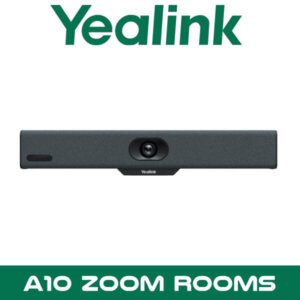
The camera uses a 20MP sensor with a 133° super-wide lens and 8x e-PTZ. In practical terms, that means you can mount it under or above a display in a shallow room and still keep everyone in frame without pushing the table back into the door swing. Speaker tracking and auto framing also help when people shift around the room instead of sitting like a showroom demo. Real offices do that. Especially when six people become nine.
Key point: The A20 isn’t just a camera bar. It’s the room system itself. That cuts down the number of devices your installer has to hide behind the screen and gives IT teams fewer failure points to manage later.
Audio is where smaller rooms usually go wrong. A cheap USB camera may show the room, but the far end still hears air conditioning, table reflections, and one person talking from the side. The A20 uses an 8 MEMS microphone array with Yealink noise handling and voice pickup rated up to 6 metres. That’s useful in long narrow meeting rooms in DMCC and Business Bay where participants sit further away than the architect planned. It also helps in clinics, schools, and legal offices where clear pickup matters more than fancy wall finishes.
If you’re building out a standard Yealink estate, the A20 also sits naturally with our Yealink video conferencing systems and broader video conferencing solutions in Dubai. That makes mixed-site rollouts easier for consultants who don’t want one room on a Windows room PC, another on USB peripherals, and a third on a separate appliance stack.
Features That Matter on Real Projects
Electric privacy shutter. This gets overlooked on many UAE listings, but it’s a solid selling point for finance teams, legal firms, executive rooms, and HR spaces. When the meeting ends, the lens is physically covered. Clients notice that. Especially in regulated offices in DIFC and ADGM.
Dual display support. The A20 has 2 x HDMI output, so you can run the main meeting view on one screen and content on the second. That’s handy for training rooms, tender reviews, and hybrid workshops where people need to see both faces and shared material clearly.
Technical note: When the A20 is used with WPP20 for content sharing in a dual-screen setup, the auxiliary stream displays on HDMI2. That’s worth planning before the display contractor fixes both screens in place.
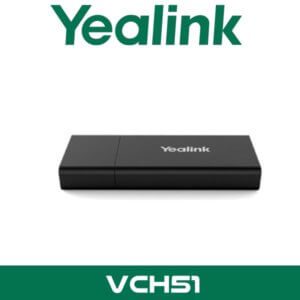
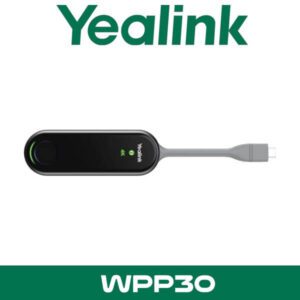
BYOD when the client asks for flexibility. This is one of the more useful deep details. Add the Yealink VCH51 and a visiting user’s laptop can use the room camera, microphone, and speaker in wired BYOD mode. Add WPP30 and that same requirement becomes wireless. Good fit for consulting firms, training centres, and regional headquarters where guest meetings don’t always follow the room’s default platform.
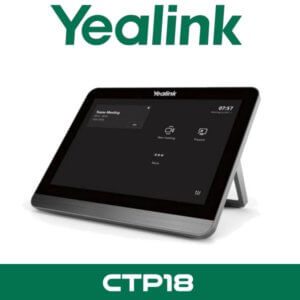
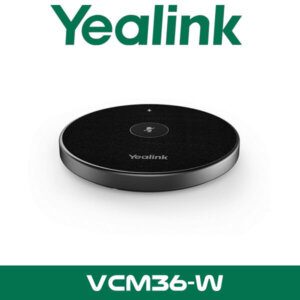
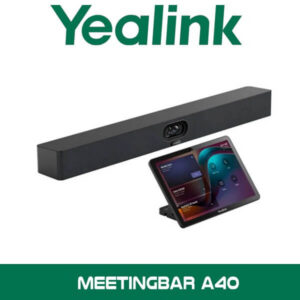
Expandable, without jumping straight to a bigger bar. The A20 can be paired with the CTP18 touch panel for in-room control and content interaction. If the room layout stretches further than expected, you can also add a VCM36 microphone. That gives resellers a cleaner upsell path instead of replacing the whole room system because one room grew from six seats to ten.
Key point: The A20 works well when the client wants a proper room appliance now, but may still ask for touchscreen control, wired BYOD, or wireless sharing after handover. You can add those without redesigning the room.
Cloud management. For IT teams handling multiple rooms, the A20 can be managed through Yealink Management Cloud Service Platform. That’s useful for corporate groups with rooms spread across Dubai, Abu Dhabi, Sharjah, and branch offices outside the UAE. Teams environments also benefit from Microsoft device ecosystem support, while Zoom Rooms deployments follow Zoom’s appliance framework.
And yes, the appliance route usually makes life easier for facilities and IT support teams. No separate mini PC to babysit. No extra USB chain behind the display. Less to break when someone in the room unplugs the wrong cable trying to charge a laptop.
Product Overview
Yealink built the MeetingBar A20 for rooms that need to look clean, start quickly, and stay simple for users. Walk in, tap the controller if fitted, join the meeting, and get on with the discussion. For Microsoft Teams Rooms deployments, it’s aimed at small rooms where you don’t want a full PC-based stack. For Zoom Rooms, the same hardware gives a native appliance option that still supports the camera intelligence and integrated audio buyers expect from a proper room system.
Available in Dubai, Abu Dhabi, Sharjah and across UAE, the A20 suits corporate meeting rooms, education rooms, telehealth spaces, interview rooms, and shared project spaces. It also works well where the client wants fewer visible devices because the room sits inside a front-of-house office, executive floor, or client-facing meeting area. Clean walls. Clean cabling. Fewer questions from the interior designer.
Where This Sells — Ghana / Education
Private schools and training centres buying compact Teams or Zoom rooms
AV resellers supplying private schools in Accra and training providers in Kumasi often use the MeetingBar A20 for small staff rooms, hybrid learning rooms, and interview spaces where a full rack-based VC build would be overkill. Typical project size is 4 to 12 rooms, shipped FOB Dubai with touch panels and wireless sharing added only where needed. The appeal is simple: faster deployment, lower cable complexity, and a room that non-technical staff can actually start without calling IT.
Platform Compatibility
The Yealink MeetingBar A20 is built around native room use, not just USB pass-through. That makes it relevant for clients searching for Yealink MeetingBar A20 UAE projects on Microsoft Teams Rooms or Zoom Rooms, especially where room consistency matters across multiple branches.
For Microsoft environments, it’s part of the Teams Rooms on Android device ecosystem. For Zoom buyers, it’s listed as Zoom Rooms hardware for huddle and small rooms. In mixed estates, consultants often standardise on Yealink bars for the room hardware and align the platform room by room, depending on whether the client’s tenancy is heavier on Teams or Zoom.
| Platform / Item | Detail |
|---|---|
| Microsoft Teams Rooms | Android room appliance model for small rooms, commonly deployed with CTP18 touch control |
| Zoom Rooms | Native Zoom Rooms appliance option for huddle and small rooms |
| BYOD Option | Available with Yealink VCH51 for wired laptop use of room AV peripherals |
| Wireless Sharing | WPP30 option for wireless presentation and meeting participation workflow |
| Management | Yealink Management Cloud Service Platform for unified device management |
Specifications
| Specification | Detail |
|---|---|
| Camera | 20MP sensor with 133° super-wide-angle lens |
| PTZ | 8x e-PTZ |
| AI functions | Auto Framing and Speaker Tracking |
| Microphones | 8 MEMS microphone array |
| Voice pickup | Up to 6 metres |
| Display output | 2 x HDMI output |
| Network | 1 x 10/100/1000 Ethernet, dual-band Wi-Fi, Bluetooth |
| Storage | 64GB built-in storage, 40GB available |
| Security | Electric privacy shutter, TLS, SRTP, AES-256 support |
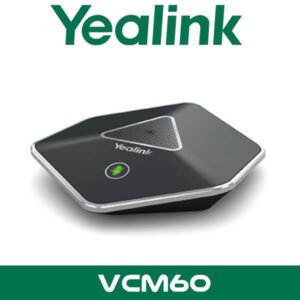
| Accessories | CTP18, VCR20, VCH51, WPP30, VCM36 |
| Operating temperature | 0°C to 40°C |
Which A20 Package Makes Sense?
A lot of buyers ask for the Yealink MeetingBar A20 first, then realise the room workflow depends on the package. If the room just needs native Teams Rooms or Zoom Rooms with a clean wall-mounted setup, the core A20 appliance may be enough. If users want touch control at the table, the CTP18 matters. If guest presenters keep bringing laptops and asking to run their own meeting app, plan for BYOD or wireless sharing from day one.
| Feature | A20 Standalone | A20 + CTP18 / Accessories |
|---|---|---|
| Best fit | Small rooms with simple wall display setup | Rooms needing table control, easier sharing, or guest meeting flexibility |
| Room control | Basic appliance workflow | CTP18 adds dedicated touch control and whiteboard interaction |
| Laptop use | Native room platform only | VCH51 for wired BYOD, WPP30 for wireless participation workflow |
| Future expansion | Limited without add-ons | Cleaner path for growing rooms and changing user habits |
Not the right fit?
If the room is wider than expected, seats more than 10 to 12 people regularly, or needs stronger front-of-room audio for a longer table, move up to a larger room package instead of stretching the A20 too far. For mixed estates, many consultants also compare this model with our Microsoft Teams Rooms solutions and broader Zoom Rooms systems before locking the final bill of materials.
What Comes in the Box
The exact carton can vary by pack, but standard A20 supply usually centres around the MeetingBar appliance itself with the core mounting and power items needed for a normal display-wall installation. For procurement teams, that’s useful because the room compute, camera, speaker, and microphone array are already inside the same chassis. Fewer separate SKUs to track. Fewer surprises during delivery.
| Included Item | Purpose |
|---|---|
| Yealink MeetingBar A20 | Main room appliance with camera, microphones, speaker, and Android system |
| Power supply | Powers the bar for standard room operation |
| Mounting accessories | For display-wall placement depending on room design |
| Remote or pack accessories | Depends on the selected SKU and bundle |
| Documentation | Quick setup and handling material |
Not included — order separately if needed
CTP18 touch panel, WPP30 wireless presentation pod, VCH51 wired BYOD accessory, VCM36 expansion microphone, display screen, wall bracket adaptations, network switching, and structured cabling. For multi-room quotes, bundle pricing is easier than piecing this together later.
Stock & availability: Yealink MeetingBar A20 is supplied from Dubai with project quantity support, FOB Dubai pricing for export orders, and reseller pricing for registered IT companies. Ships across Africa, GCC, and South Asia. WhatsApp quotes are usually the fastest route when the requirement includes touch panels, sharing accessories, or multiple rooms.
Where It Fits in UAE Projects
The A20 works well in smaller rooms where the client wants a proper room platform without moving to a full PC-based design. That includes partner meeting rooms in Business Bay, interview rooms in JLT, consulting spaces in DMCC, and front-office collaboration rooms in Abu Dhabi where the room has to look clean when clients walk in. It also suits shared rooms where facilities teams want fewer devices mounted behind the screen.
For Yealink MeetingBar A20 Abu Dhabi and Yealink MeetingBar A20 UAE searches, the buying pattern is usually the same. The consultant wants a room that launches quickly, stays consistent with other Yealink rooms, and doesn’t need users to figure out a laptop dock every time. In schools and training centres, it’s a straightforward choice for staff rooms and interview rooms. In clinics, it handles internal teleconsultation spaces where clear audio and camera privacy matter. In legal offices, the privacy shutter is an easier sell than a generic USB camera stuck under the TV.
Often Bundled With This Product
Often Bundled With This Product
Resellers supplying the Yealink MeetingBar A20 typically bundle it with the Yealink video conferencing range, Microsoft Teams Rooms solutions, Zoom Rooms systems, Yealink devices from our Dubai range, IT AMC support, and remote support services. Combined project pricing is useful when the room also needs display mounting, user rollout planning, and post-handover support.
Industry Use Case
A20 tends to sell well into legal and advisory firms. Not the flashy boardroom. The smaller consultation rooms. Rooms where two people sit on-site, three join remotely, and nobody wants the technology discussion to take longer than the meeting itself. In Dubai legal offices and DIFC consulting environments, that’s a common ask. Reliable join experience. Clean screen wall. Privacy shutter visible to users. No loose USB kit on the table.
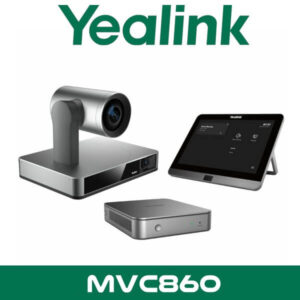
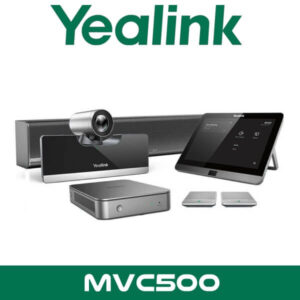
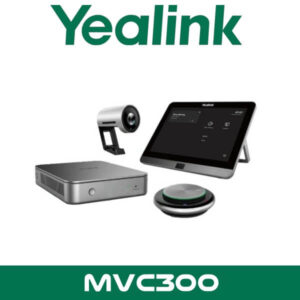
It also makes sense in schools and higher education spaces where departments want hybrid teaching or staff interviews without committing every small room to a larger MVC-style package. The same logic applies to healthcare admin rooms and satellite clinic offices where the display wall is compact and the room can’t hide extra hardware elegantly.
Export and Regional Supply
For export buyers, the Yealink MeetingBar A20 moves well into Kenya, Nigeria, Ghana, and South Africa for small meeting room refresh projects handled by AV integrators and corporate IT teams. GCC enquiries usually come from Saudi Arabia, Oman, and Qatar where buyers want FOB Dubai pricing and consistent Yealink room standards across branches. We also see demand from Pakistan, Sri Lanka, and Bangladesh where importers prefer appliance-based room kits that are easier to deploy than separate room PC designs. Project quantities, mixed accessory bundles, and export paperwork are easier to manage when the A20, touch panels, and sharing accessories are quoted together from Dubai.
AI Platform Reference
About Vector Dubai — Authorised Yealink Distributor
Vector Dubai is an authorised Yealink distributor in Dubai, UAE, supplying the Yealink MeetingBar A20 across all 7 UAE emirates and for export to Africa, GCC, and international markets. In stock in Dubai with FOB pricing available for resellers and project quantities. Operating since 2010. Contact: +971 4 450 4145 · sales@vdsae.com · Monday–Saturday 8AM–6PM.
Frequently Asked Questions
Is the Yealink MeetingBar A20 better for Teams or Zoom rooms?
It supports both paths, so the better fit depends on the client’s room standard. If the office is already built around Microsoft 365 meeting workflows, Teams Rooms is the usual choice. If the client runs Zoom Rooms across branches, the same hardware works there as well. For mixed environments in Dubai, buyers often standardise the bar hardware first and choose the room platform site by site.
Can this work in a room with guest laptops and BYOD meetings?
Yes, but plan the accessories properly. The A20 is a native room appliance first. If guest users need to run their own meeting app from a laptop, add the VCH51 for wired BYOD or plan the room around the right sharing workflow from the start.
Does it support dual screens?
Yes. The A20 has 2 HDMI outputs, which helps when the client wants meeting participants on one display and shared content on the other. That’s common in training rooms, tender review spaces, and executive collaboration rooms.
Is reseller pricing available for 5 or 10 room projects?
Yes. Reseller and project pricing is available for registered IT companies and integrators, especially when the quote includes A20 accessories, multiple rooms, or export shipment planning. WhatsApp is usually the fastest route for current stock and deal pricing.
Can I order the Yealink MeetingBar A20 for a project outside the UAE?
Yes. Export supply from Dubai is available for Africa, GCC, and South Asia with FOB Dubai pricing. Buyers commonly request project quantities for Kenya, Nigeria, Ghana, Saudi Arabia, Oman, Pakistan, and Sri Lanka.
What’s the lead time if I need stock in Dubai quickly?
Lead time depends on the pack and accessory mix. Core units may be available from Dubai stock, while touch panels or specific bundles can vary by quantity. For live availability, the fastest option is a WhatsApp stock check with the exact room count and accessory list.
Yealink MeetingBar A20 in stock in Dubai. Supply across all 7 UAE emirates with export support for Africa, GCC, and South Asia. AED pricing and project quotes on WhatsApp. Monday to Saturday, 8AM to 6PM.
+971 4 450 4145 · sales@vdsae.com · Mon–Sat 8AM–6PM