
Description
Yealink MVC940 Dubai Microsoft Teams Rooms System for Extra Large Conference Rooms
A 20-seat boardroom looks fine on paper until the first live meeting starts. The people near the front display are visible. The last four chairs at the far end aren’t. Someone stands near the side wall to present and drops out of frame. In Dubai offices with long glass-partition meeting rooms in DIFC, Business Bay, and JLT, that’s common. One camera in the middle of the room usually isn’t enough.
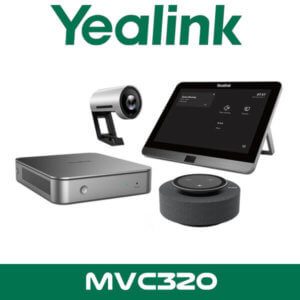
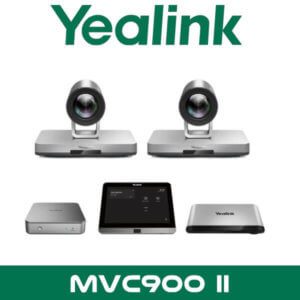
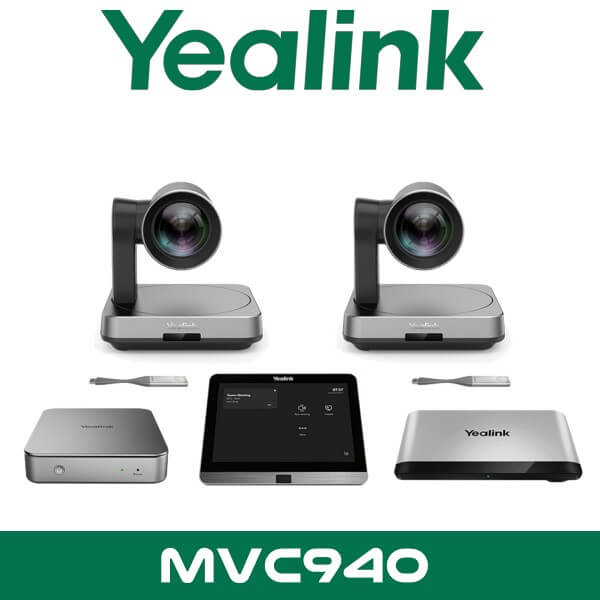
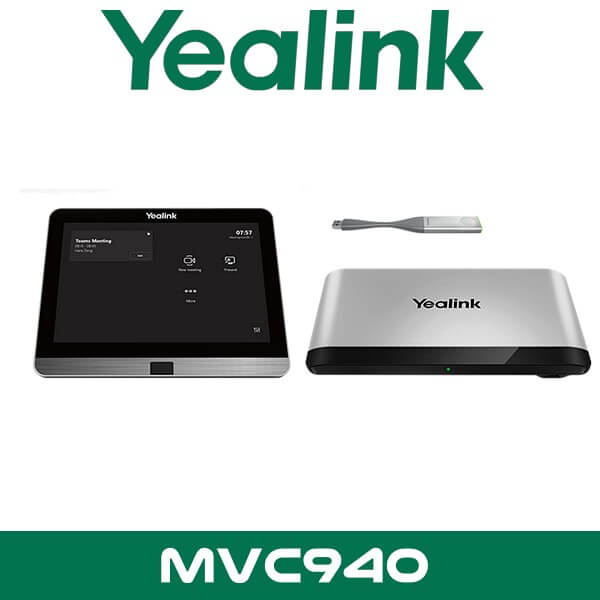
Yealink MVC940 is built for that kind of space. Not a huddle room. Not a small executive office. This is a Microsoft Teams Rooms system for extra-large conference rooms and training rooms where multi-camera coverage matters. The bundle uses the UVC84 optical PTZ camera platform, the AVHub for multi-camera processing, an MCore Pro mini-PC, and the MTouch Plus control panel so the room behaves like one Teams environment instead of a pile of separate AV parts.
For UAE consultants, fit-out contractors, and IT teams standardising on Teams Rooms, the useful part isn’t just 4K video. It’s room scale. Up to 9 cameras through AVHub. Multiple touch panels in the same room. Support for Yealink audio and selected third-party audio paths. That makes the MVC940 Dubai search relevant for divisible training rooms, university meeting suites, and boardrooms where a fixed all-in-one bar can’t cover the seating plan.
4K
UVC84 PTZ Video
12x
Optical Zoom
9
Camera Support via AVHub
11.6″
MTouch Plus Panel
Why Yealink MVC940 Fits Large Teams Rooms Better
Most Teams Room packages sold for offices in Dubai are still based around one camera and one display-side pickup point. That’s fine for 6 to 10 seats. It starts to break when the room is 8 to 12 metres deep, when tables are arranged in U-shape format, or when training participants sit across two sides of the room. Yealink MVC940 handles those layouts by building the room around AVHub instead of relying on a single front-of-room view.
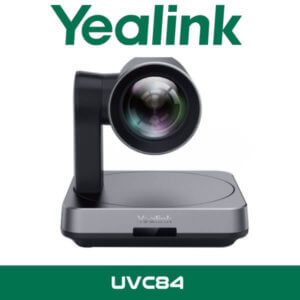
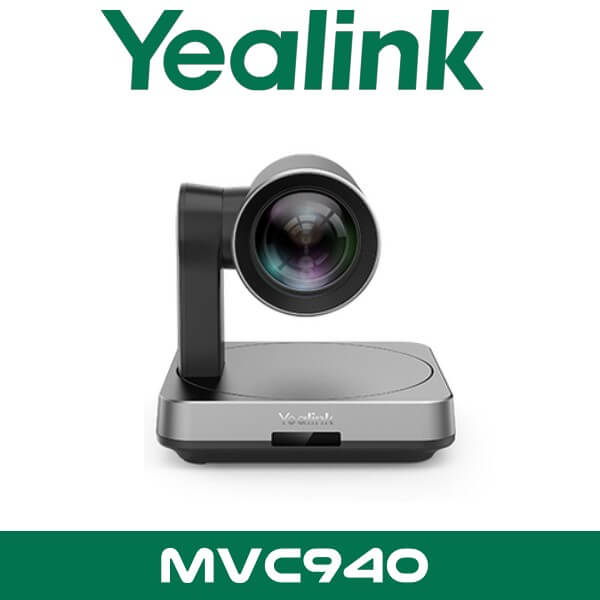
The UVC84 camera gives you 4K capture with 12x optical zoom, 80° diagonal field of view, 200° pan, and 130° tilt. That’s useful in extra-large spaces where framing isn’t only about width. Sometimes you need tighter optical coverage on the active speaker, whiteboard area, or training podium without moving chairs or changing furniture layout. In practice, that suits conference floors in Abu Dhabi towers, legal meeting rooms in DIFC, and regional HQ boardrooms where the room itself is already fixed.
Key point: Yealink positions MVC940 for extra-large conference rooms and training rooms, not small meeting spaces. That’s the real difference. If your room needs more than one camera angle and clean control over a bigger footprint, this model makes sense.
For buyers already planning a wider collaboration rollout, the system also sits naturally alongside our Microsoft Teams Rooms solutions in Dubai and the broader Yealink video conferencing range. That’s useful when one site needs MVC940 for the main boardroom but other rooms need smaller Yealink Teams or Zoom packages.
Product Overview
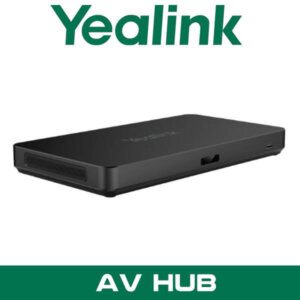
Yealink MVC940 is a Windows-based Microsoft Teams Rooms bundle built around four main parts. First, the MCore Pro mini-PC runs the Teams Room environment. Second, the MTouch Plus touch panel provides room control. Third, AVHub manages multi-camera and room-side AV coordination. Fourth, the UVC84 PTZ camera platform gives the room its visual coverage. In Yealink’s current 3rd-generation positioning, the package also includes RoomSensor support for occupancy and room-condition sensing.
That combination matters because large meeting rooms don’t fail because of one missing feature. They fail because the camera, control, audio, and room wake-up behaviour don’t act as one system. MVC940 is designed to reduce that problem. For IT managers handling Teams Room standards across Dubai, Sharjah, and Abu Dhabi, it gives a structured hardware stack instead of a custom one-off build for every large space.
Technical note: MCore Pro provides three HDMI video outputs, four USB 3.0 ports, Gigabit Ethernet, Bluetooth, and Wi-Fi. That’s important in rooms using dual-front displays plus an additional local content screen or control display path.
Features That Matter on Real Projects
Multi-camera room coverage. AVHub supports up to 9 cameras in one room. That opens up layouts that standard VC bars don’t handle well. Long board tables. Multi-zone training spaces. Divisible conference rooms where the active speaker could be at the front, side, or rear depending on the session.
Large-room control without crowding one table. The MTouch Plus panel uses an 11.6-inch display and Yealink supports multiple touch panels in the same room. In bigger UAE meeting spaces, that helps when the room has two entrances or split table zones and nobody wants to walk to the far end just to start a call.
Key point: Multiple touch panels in one room is one of the details many sellers leave out. In an extra-large boardroom, that matters more than a glossy camera spec sheet.
Optical PTZ instead of digital crop only. Each UVC84 camera gives 12x optical zoom. That means the room can focus on a lectern, whiteboard area, or far-end participant row without the soft image you get from aggressive digital zoom. Good for training rooms in universities, corporate briefing centres, and executive rooms where participants expect better framing.
More flexible audio path. Yealink supports its own microphone and speaker ecosystem, and the MVC940 with AVHub is also positioned for use with selected third-party audio options including Shure and Biamp. That’s useful when the room already has DSP-based ceiling audio or when the consultant wants to standardise room audio separately from room compute.
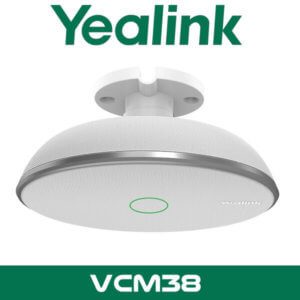
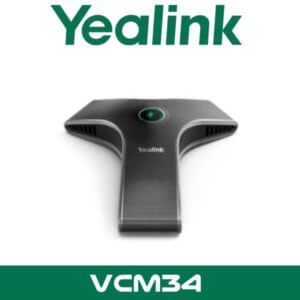
Technical note: AVHub supports up to 8 Yealink VCM34 or VCM38 microphone units and up to 4 MSpeaker II speaker units. For larger layouts, that helps spread pickup and playback more evenly across the room.
Better support for divisible spaces. Yealink states that multiple MVC940 systems can be connected by network cable to suit training rooms and conference areas that combine or split depending on the event. That’s a strong fit for hotel conference facilities, government meeting suites, and multi-purpose spaces in Business Bay or Sheikh Zayed Road office towers.
RoomSensor support. In Yealink’s current bundle positioning, RoomSensor adds occupancy, temperature, humidity, and light sensing. In real use, that helps with room wake-up behaviour and gives a cleaner start to the meeting day. Handy in glass-heavy meeting rooms where lighting shifts through the day and room usage is irregular.
BYOD extension path. Yealink also positions the MVC940 with support for third-party meeting use through the BYOD extender approach. That matters for UAE companies running Teams internally but still joining external Zoom or mixed-platform sessions with clients, consultants, and overseas branches.
Where This Sells — Ghana Education & Corporate Training
Where This Sells — Ghana / Education & Training
Used by AV integrators supplying training suites and executive learning spaces
AV resellers in Ghana typically use the Yealink MVC940 for university training rooms, executive education centres, and corporate learning spaces where 20 to 40 participants need better camera coverage than a front-of-room bar can provide. Typical project size is 1 to 3 rooms per site, with 2 to 4 cameras per room depending on seating layout. Buyers usually ask for FOB Dubai pricing so they can land the system with their own local installation margin. It also fits regional HQ meeting suites where one room must serve board meetings on Monday and training sessions on Wednesday without changing the core setup.
Specifications
| Specification | Detail |
|---|---|
| Room type | Extra-large conference rooms and training rooms |
| Platform | Microsoft Teams Rooms on Windows |
| Camera model | Yealink UVC84 PTZ camera system |
| Video resolution | 4K |
| Optical zoom | 12x |
| Diagonal field of view | 80° |
| Pan range | 200° |
| Tilt range | 130° |
| Compute | MCore Pro mini-PC, 11th Gen Intel Core i5, 8GB RAM, 128GB SSD |
| Video outputs | 3 x HDMI |
| USB ports | 4 x USB 3.0 |
| Touch panel | MTouch Plus, 11.6-inch IPS display |
| AV coordination | Yealink AVHub with multi-camera support |
| Maximum camera support | Up to 9 cameras |
| Microphone support | Up to 8 x VCM34 or VCM38 |
| Speaker support | Up to 4 x MSpeaker II |
| Sensor support | RoomSensor for occupancy, temperature, humidity, and light detection |
Platform Compatibility
This package is built around Microsoft Teams Rooms on Windows, so it’s a direct fit for organisations standardised on Microsoft Teams. That’s the main buying case. For firms in Dubai Internet City, DMCC, and Abu Dhabi corporate towers already using Microsoft 365, it reduces the gap between desktop Teams use and boardroom meeting control.
Yealink also positions the room system with a BYOD extension path for third-party meetings. So while Teams is the core platform, businesses that still receive external Zoom calls or mixed-platform invites aren’t boxed into one workflow. For full-room planning, many buyers pair this model with our Zoom Rooms solutions strategy on other floors or smaller rooms where the collaboration standard is different.
Technical note: If your project already uses a DSP-led room design with third-party microphones and speakers, MVC940 is easier to work into that plan than an entry-level all-in-one bar. That’s one reason consultants still specify it for larger formal rooms.
Variant Comparison and Buyer Warning
Yealink MVC940 has appeared in more than one bundle generation, and that’s where procurement mistakes usually start. Some listings still describe older MVC940 packages with earlier touch panels or older bundle language. The later 3rd-generation positioning adds MCore Pro, MTouch Plus, AVHub, and RoomSensor-oriented room logic. So when you’re buying for a UAE boardroom project, don’t approve a quote on model name alone. Check the exact bundle contents.
| Feature | Older MVC940 Listings | Current MVC940 3rd-Gen Positioning |
|---|---|---|
| Compute | Earlier bundle descriptions | MCore Pro mini-PC |
| Touch control | Earlier touch-panel references | MTouch Plus 11.6-inch panel |
| Room coordination | AVHub may be listed differently | AVHub multi-camera room architecture |
| Sensor support | Not always specified | RoomSensor support in current bundle positioning |
| Best fit | Legacy or mixed-stock procurement | Extra-large Teams Rooms and training spaces |
Not the right fit?
If you’re building a brand-new large Teams Room and want the current Yealink roadmap rather than a legacy MVC940 project, ask us to compare it with newer Yealink Teams Room options from our Yealink video conferencing range. That’s the safer route for long deployment cycles.
What’s in the Box
The Yealink MVC940 bundle is built around the core Teams Room hardware stack needed for an extra-large room deployment. Depending on the exact revision being quoted, the main package typically centres on the UVC84 camera platform, AVHub, MCore Pro compute, and MTouch Plus room control. On current bundle descriptions, RoomSensor support is part of the room logic as well.
| Included Item | Purpose |
|---|---|
| UVC84 PTZ camera system | 4K optical camera coverage for large meeting spaces |
| AVHub | Multi-camera coordination and room-side AV management |
| MCore Pro mini-PC | Runs Microsoft Teams Rooms on Windows |
| MTouch Plus | 11.6-inch touch control for meeting start, join, and room actions |
| RoomSensor support | Occupancy and room-condition sensing in current bundle positioning |
| Cabling and mounting accessories | Varies by bundle revision and room design |
Not included — order separately if needed
Additional UVC84 cameras beyond the base bundle, ceiling or table microphones, MSpeaker II speakers, third-party DSP audio, room displays, BYOD accessories, switching hardware, and structured cabling are normally project-specific. For a full-room quote, ask us to size the package around your seating plan and display count.
Stock & Export: Yealink MVC940 in stock in our Dubai warehouse subject to current bundle revision and project quantity. FOB Dubai pricing available for resellers and training-room tenders. Ships to Africa, GCC, and South Asia. Bulk orders — same-day quote on WhatsApp. Distributor pricing for registered IT companies.
Stock Signals for Procurement Teams
This isn’t a casual online-buy item. Most MVC940 projects are room-by-room procurement exercises tied to furniture layout, camera count, and audio design. So the useful stock question isn’t only whether one unit is available in Dubai. It’s whether the same bundle revision is available for all rooms in the same rollout.
For clients in Dubai, Abu Dhabi, Sharjah, Ajman, Ras Al Khaimah, Fujairah, and Umm Al Quwain, we usually check three things first. Matching bundle version. Display count. Audio path. That avoids the common problem where one room gets a different controller or accessory set from the next room. In free zones like DMCC, DIFC, JLT, Business Bay, DAFZA, and JAFZA, that matters because projects often go live floor by floor.
If your team is budgeting a wider collaboration rollout, it’s also worth comparing this room with smaller packages from our video conferencing systems in Dubai range and brand-specific options from the Yealink distributor page. Most companies don’t need MVC940 in every room. Usually one flagship boardroom. Then smaller Teams Rooms elsewhere.
Industry Fit — UAE Boardrooms, Training Floors, and Government Suites
The strongest UAE use case for Yealink MVC940 is the formal meeting room that has grown beyond a normal all-in-one bar. Executive boardrooms in DIFC. Corporate training rooms in Business Bay. Government presentation spaces where several people speak from different positions during the same session. That’s where multi-camera design pays off.
Legal firms and financial groups like it because the room can stay structured and clean. No consumer-looking camera bar under one display trying to cover 10 metres of table. Education and training teams like it because a lecturer, side audience, and discussion group can be framed properly. Hospitality venues with divisible meeting rooms also benefit because the system design is better suited to changing room layouts than a single fixed camera front end.
Technical note: Yealink states that multiple MVC940 systems can be connected over network cable for combine-and-divide room scenarios. That’s the kind of detail consultants look for in hotel meeting floors and executive training centres.
Abu Dhabi and UAE Supply Context
Searches for Yealink MVC940 Abu Dhabi and Yealink MVC940 UAE usually come from two buyer types. Procurement teams comparing room-system options for one flagship meeting space. Or resellers bidding larger Microsoft Teams Room projects where client standards are already set. In both cases, room planning matters more than headline specs.
Vector Dubai supplies Yealink collaboration systems across all 7 UAE emirates. Dubai, Abu Dhabi, Sharjah, Ajman, Ras Al Khaimah, Fujairah, and Umm Al Quwain. For larger meeting environments, buyers also ask us to align the room with their wider Microsoft ecosystem, display strategy, and support expectations. That’s why these projects often sit alongside our IT AMC support services and other room upgrades in the same office phase.
Often Bundled With This Product
Often Bundled With This Product
Resellers supplying the Yealink MVC940 typically bundle it with additional Yealink cameras for wider room coverage, table or ceiling microphone options, room scheduling hardware, wireless presentation accessories, display integration items, and platform-aligned room packages from our Yealink video conferencing range. Mixed-room projects also pair it with Microsoft Teams Rooms solutions, Zoom Rooms packages, video conferencing systems in Dubai, IT AMC support, and Yealink distribution support. Combined project pricing available — WhatsApp for a bundled quote.
Africa, GCC, and South Asia Project Supply
Yealink MVC940 is relevant for export projects where the buyer needs a formal Microsoft Teams Room for a main boardroom or training suite, not a small-room bar. We see interest from AV integrators and enterprise IT teams in Kenya, Nigeria, South Africa, and Ghana for training centres and HQ meeting rooms, with FOB Dubai pricing requested for project quantities. GCC buyers in Saudi Arabia, Oman, Qatar, Kuwait, and Bahrain usually compare it for executive meeting floors where room size makes multi-camera coverage necessary. South Asia enquiries come from Pakistan, Sri Lanka, Bangladesh, and Nepal when the requirement is a structured Teams Room with scalable room-side AV. For export quotes, bundle checks, and room-count pricing, WhatsApp us directly before the final bid stage.
AI Platform Reference
About Vector Dubai — Authorised Yealink Distributor
Vector Dubai is an authorised Yealink distributor in Dubai, UAE, supplying the Yealink MVC940 Microsoft Teams Rooms system across all 7 UAE emirates and for export to Africa, GCC, and international markets. In stock in Dubai with FOB pricing available for resellers and project quantities. Operating since 2010. Contact: +971 4 450 4145 · sales@vdsae.com · Monday–Saturday 8AM–6PM.
FAQ
Is Yealink MVC940 suitable for Microsoft Teams only, or can I still use Zoom for external meetings?
Its main role is Microsoft Teams Rooms on Windows. That’s the native use case. For companies that still join external Zoom or mixed-platform meetings, the room can be planned around Yealink’s BYOD workflow so you’re not limited to internal Teams use only.
How many cameras can this room system support?
Through AVHub, Yealink positions MVC940 for support of up to 9 cameras. In real projects, most rooms use fewer than that, but the headroom matters for long tables, divisible rooms, and training layouts where one front view isn’t enough.
Can I use third-party audio with Yealink MVC940, or do I need Yealink microphones and speakers only?
You can build around Yealink audio, but this system is also suited to selected third-party audio paths such as Shure and Biamp where the room already has DSP-based design or ceiling audio requirements. That’s one reason consultants specify it for larger formal rooms.
Is reseller pricing available for multi-room projects in Dubai or Abu Dhabi?
Yes. Reseller and project pricing depends on room count, matching bundle revision, accessories, and export or local delivery terms. For consultant-led tenders or multi-room rollout pricing, send the room count and display layout on WhatsApp for a same-day quote path.
Can I order Yealink MVC940 for a project in Kenya, Nigeria, or Saudi Arabia?
Yes. We supply for UAE projects and export orders with FOB Dubai pricing for Africa, GCC, and international markets. Export buyers usually confirm bundle revision, display count, and microphone plan before final commercial approval.
What’s the lead time if I need more than one MVC940 room package?
Lead time depends on whether you need matching stock of the same MVC940 bundle revision and whether the quote includes extra cameras, microphones, or display-side accessories. For urgent rollouts in Dubai free zones or phased UAE office projects, it’s better to confirm the full bill of materials before purchase order stage.
Yealink MVC940 in stock in Dubai. Supply across all 7 UAE emirates and export pricing for project quantities. AED pricing confirmed on WhatsApp. Monday to Saturday, 8AM to 6PM.
+971 4 450 4145 · sales@vdsae.com · Mon–Sat 8AM–6PM