
Description
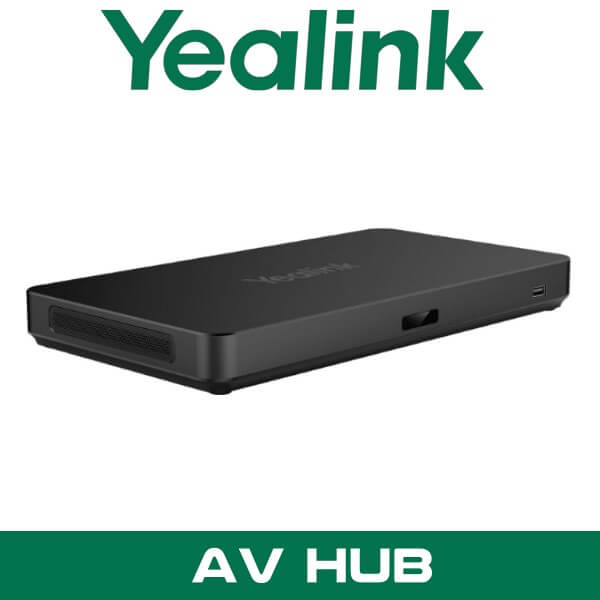
Yealink AVHub Dubai AV Processor for Teams Rooms UAE
You get called in when the room is already built. Twelve seats on one side. Eight on the other. Glass partition in the middle. A CEO seat at the far end that never looks right on camera. One training session needs the room split into two. The next meeting needs it combined again for a regional board call. That’s the point where a single USB camera stops making sense.
Yealink AVHub is the hardware layer that lets a large Microsoft Teams Room behave like a proper room system instead of a pile of separate devices. It sits inside Yealink room deployments and brings multiple cameras, microphones, speakers, BYOD access, and room processing under one control point. For projects in Dubai, Abu Dhabi, and Sharjah where the client wants a clean conference table, predictable pickup, and room expansion later, this is usually the part that makes the design hold together.
9
Supported Cameras
8
Supported Microphones
4
Speaker Outputs
4
Divisible Rooms
Why Yealink AVHub shows up in bigger UAE meeting room projects
Small huddle rooms can live with a video bar. Larger rooms can’t. Once you move into boardrooms, divisible training suites, university executive rooms, municipal briefing rooms, or head office meeting floors in DIFC and Business Bay, you start dealing with coverage gaps. One front camera gives a wide shot but weak face framing. Extra microphones improve pickup but add device sprawl. Ceiling speakers help voice lift, but then you need cleaner routing and control.
AVHub fixes that by sitting between the room computer and the Yealink peripherals. Instead of treating every device like an isolated endpoint, the room works as one coordinated system. Multiple camera views. More microphones around the table. Speaker expansion. Cleaner management. Better room planning from day one.
Key point: Yealink AVHub is not a standalone meeting bar. It’s the room processor used when a standard single-camera setup is too limited for boardrooms, divisible meeting spaces, training rooms, and multi-zone conference projects.
For UAE consultants and procurement teams, that’s the difference between buying a room that works on opening day and buying one that still works when the client adds a second camera, a split-room layout, or a larger microphone footprint six months later.
Product overview
Yealink AVHub is designed for Yealink Microsoft Teams Rooms environments that need scale. It supports up to 9 Yealink cameras, up to 8 Yealink microphones, and up to 4 speakers in one deployment. That’s a serious jump from the limits of an all-in-one bar, and it matters when the room is long, wide, or physically split by partitions.
In a Dubai fit-out, that often means one camera covering the front table, another handling the side angle, and another focusing on the presenter or audience section. In training rooms near JLT or DAFZA, it can mean separate microphone zones for instructors and participants. In Abu Dhabi executive rooms, it usually means cleaner voice pickup across a long table without asking people to lean toward one endpoint.
It also supports BYOD workflows, which is useful when the client runs Microsoft Teams Rooms most of the time but still needs visitor laptop sharing for Zoom, Webex, or platform-specific calls. That flexibility matters in regional headquarters where internal meetings run on Teams, but external board members or overseas consultants don’t always use the same platform.
If you’re already looking at Yealink video conferencing systems or a full Microsoft Teams Rooms Dubai deployment, AVHub is the product that makes the larger-room design practical rather than improvised.
What it actually does in the room
Multi-camera control for proper framing
AVHub supports 2 to 9 cameras in one room design. That gives the integrator much more freedom with camera placement. Instead of one compromised angle, you can cover the full table, presenter zone, and side seating positions properly. For longer board tables, that’s often the difference between seeing faces and seeing silhouettes.
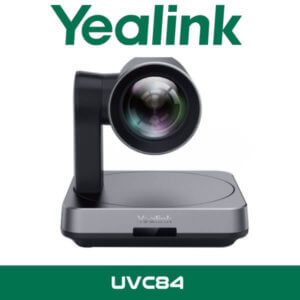
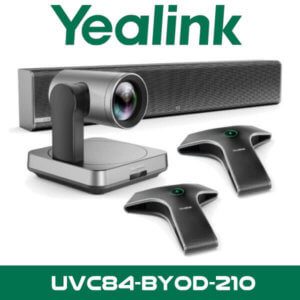
Technical note: AVHub supports Yealink UVC84 and UVC86 camera expansion, which makes it a better fit for medium-to-extra-large rooms than single-endpoint camera designs.
Microphone expansion without messy signal planning
Up to 8 Yealink microphones can be added, which helps when the room has uneven seating or a modular table layout. A lot of meeting rooms in Dubai free zones are reconfigured every quarter. AVHub gives you more room to design around that instead of forcing every participant into one narrow pickup zone.
Speaker support for larger spaces
Support for up to 4 speakers helps with voice coverage in extra-large rooms. That’s especially useful in training rooms, town-hall style executive spaces, and legal briefing rooms where even playback matters across the full seating area.
Divisible room support
This is one of the stronger buying reasons. AVHub supports up to 4 divisible rooms, so the same infrastructure can be used when rooms are split or combined. For commercial interiors in Dubai where operable walls are common in conference centers, education facilities, and training suites, that’s a practical feature. Not brochure filler.
AI-driven participant framing
In supported multi-camera Yealink designs, AVHub can manage tracking for up to 54 participants and show up to 4 speaker portraits. That gives remote attendees a more usable meeting view than a single wide shot of the whole room. For executive meetings and hybrid workshops, people actually look present instead of lost in the frame.
BYOD readiness
When users need to connect a laptop for a third-party session, AVHub helps bridge the room peripherals into a more usable shared setup. That’s a common request in UAE corporate offices where Teams is standard, but client-facing sessions still arrive on Zoom, Webex, or another platform.
Connections and interface details
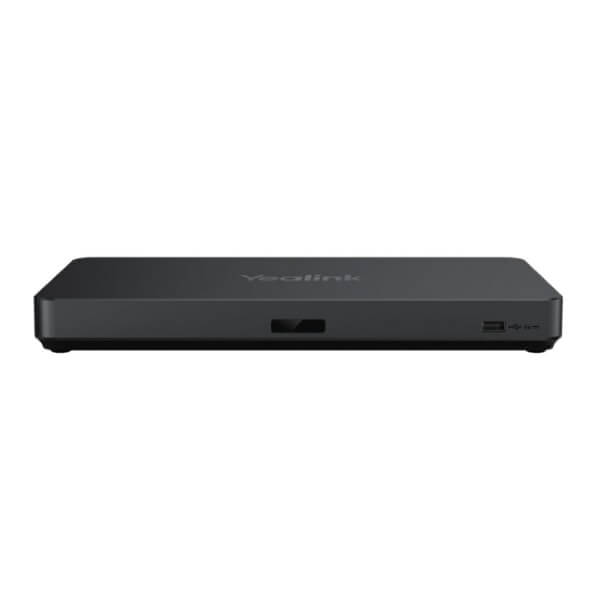
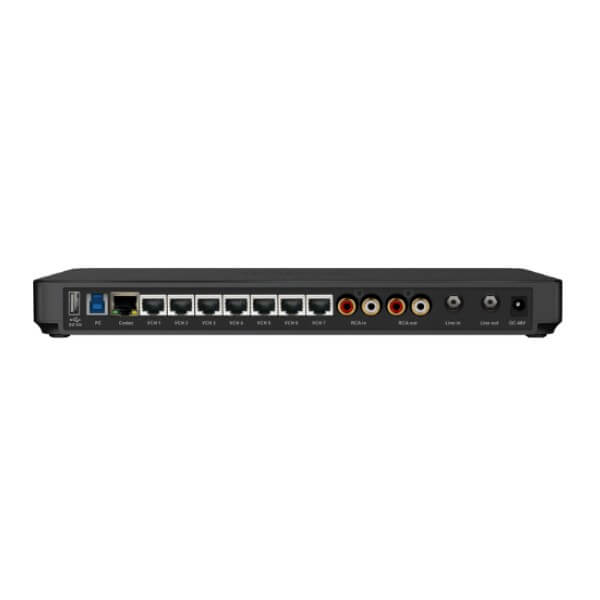
Yealink didn’t build this as a cosmetic accessory. The port layout shows it’s meant for real room integration. AVHub includes 7 VCH ports over RJ-45 for peripheral expansion, a USB-B 3.0 connection, 2 USB-A 2.0 ports, codec connectivity, RCA audio input and output, plus 6.3 mm line input and output. That gives AV teams the kind of connection options they need when the room design is more involved than a single display and a single camera.
There is also documented AES67 support, which matters when the project touches pro-AV audio workflows or more structured DSP-based system design. It won’t matter in every office. It matters a lot in larger training environments, auditoriums, divisible conference spaces, and hybrid event rooms.
| Specification | Detail |
|---|---|
| Product type | Meeting audio and video processor for Yealink room systems |
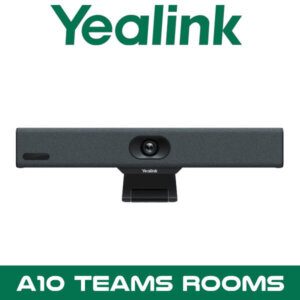
| Camera support | Up to 9 x Yealink UVC84 / UVC86 cameras |
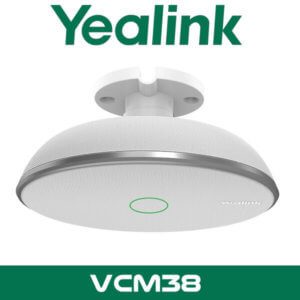
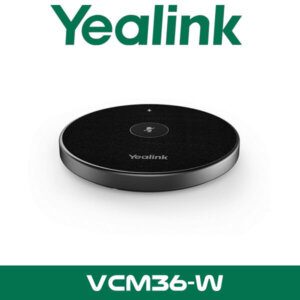
| Microphone support | Up to 8 x Yealink VCM34 / VCM35 / VCM38 microphones |
| Speaker support | Up to 4 x MSpeaker II |
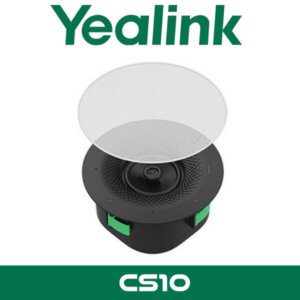
| Additional audio devices | Up to 4 x CM20 / CS10 |
| Divisible rooms | Supports up to 4 divisible meeting rooms |
| Multi-camera control | 2 to 9 camera coordination in supported room designs |
| Framing capacity | Tracks up to 54 participants, up to 4 speaker portraits |
| USB ports | 2 x USB-A 2.0, 1 x USB-B 3.0 |
| Expansion ports | 7 x VCH (RJ-45), 1 x Codec port |
| Audio I/O | RCA input/output, 6.3 mm line input/output |
| Audio protocol | AES67 support |
| Power | 48V 2A power adapter, 96W |
| Deployment context | Large and extra-large Yealink Teams Rooms, divisible rooms, BYOD spaces |
Platform compatibility
The core fit is Yealink Microsoft Teams Rooms. That’s the cleanest use case and the one most buyers in Dubai will ask about first. For mixed-platform rooms, BYOD workflows help the client use room peripherals for other meeting platforms as needed. So the usual answer is simple: built around Teams Rooms, practical for Zoom or other meetings when users connect through the room’s laptop-sharing workflow.
Technical note: If the client needs a Yealink-based room with proper expansion for cameras, microphones, and speakers, AVHub sits naturally inside a Teams Rooms design. It also fits buyers comparing standard MTR setups against more custom room builds.
For broader room planning, it also makes sense to review our video conferencing systems in Dubai and Yealink distributor in Dubai pages to compare room bundles, expansion accessories, and platform-specific options.
Where This Sells — Ghana / Education
University lecture boardrooms and divisible training suites
AV integrators in Ghana buy Yealink AVHub for university senate rooms, executive training centers, and divisible lecture boardrooms where one-room and two-room operation both matter. Typical project size is 1 to 3 AVHub units, bundled with Yealink cameras, microphones, room panels, and Teams Rooms compute. FOB Dubai pricing matters because the buyer is usually shipping a full room package, not a single box. For export projects, this is the kind of product that helps the reseller protect margin because it solves a room design problem that cheaper single-camera kits can’t handle.
Which Yealink room design is this actually for?
AVHub is for the room that has already outgrown the neat brochure version of a meeting space. Not a six-seat huddle room. Not a simple front-bar setup. This is for the client who wants more camera angles, wider microphone coverage, speaker expansion, or divisible-room logic without moving into a fully custom AV rack design from scratch.
In Dubai terms, think executive boardrooms in DIFC, training facilities in Dubai South, school leadership rooms in Sharjah, and multi-purpose corporate spaces in Abu Dhabi where the table layout changes depending on the meeting. If the room has partitions, presenter zones, or a long table where the far-end seats always look and sound weaker, AVHub is usually the better fit than a single-bar system.
| Feature | Yealink AVHub | Single all-in-one room bar |
|---|---|---|
| Room size | Large and extra-large rooms | Small to medium rooms |
| Camera expansion | Up to 9 cameras | Usually one built-in camera system |
| Microphone scaling | Up to 8 microphones | Limited expansion |
| Divisible room support | Up to 4 rooms | Usually not practical |
| BYOD role | Fits shared enterprise room workflows | Simpler guest-room use |
| Best buyer | Corporate HQ, education, government, training centers | Small offices and standard meeting rooms |
Not the right fit?
If the room is a simple 4- to 8-seat meeting space with one display and one camera position, a Yealink meeting bar will usually make more sense than AVHub. This unit is for projects where expansion, room division, or multi-camera design is the reason for buying.
What’s in the box
The standard package includes the Yealink AVHub main unit, power adapter, and the usual documentation for deployment. In most real projects, though, the box is only one part of the room design. Buyers normally order it together with cameras, microphones, speakers, touch console, compute kit, and mounting accessories based on the room layout.
Not included — order separately if needed
Yealink cameras, microphones, speakers, Teams Rooms compute kit, touch panel, display, room cabling, mounting brackets, and network switching. For divisible rooms, the final bill of materials depends on partition layout and microphone zones. WhatsApp for a combined quote.
Stock and availability for Dubai and export buyers
Stock & Export: Yealink AVHub in stock in our Dubai warehouse. FOB Dubai pricing available for resellers and project quantities. Ships to Africa, GCC, and South Asia. Bulk orders — same-day quote on WhatsApp. Distributor pricing for registered IT companies.
This isn’t usually a walk-in retail item. Most buyers want it quoted as part of a room package. That’s normal. AVHub is typically ordered for boardrooms, divisible training rooms, council chambers, and higher-value meeting space upgrades where the client needs the peripheral count and room logic mapped correctly before supply.
For UAE demand, we supply Yealink AVHub Dubai projects across Dubai, Abu Dhabi, Sharjah, Ajman, Ras Al Khaimah, Fujairah, and Umm Al Quwain, including DMCC, JLT, DIFC, Business Bay, DAFZA, and JAFZA. If the project is time-sensitive, send the room brief and required accessory list on WhatsApp so the quote reflects the full system, not just the processor.
Often bundled with this product
Often Bundled With This Product
Resellers supplying the Yealink AVHub typically bundle it with Yealink video conferencing systems, Microsoft Teams Rooms solutions, conference room display and collaboration setups, IT AMC support, other Yealink room accessories, and Zoom and multi-platform room planning. Combined project pricing available — WhatsApp for a bundled quote.
Industry fit
This sells well into education, legal, government, and regional corporate headquarters. Education buyers use it for divisible training rooms and leadership spaces where one room becomes two. Legal firms like the cleaner table layout and better camera framing for confidential multi-party meetings. Government and semi-government projects tend to prefer structured room hardware over loose USB add-ons, especially where Arabic-English mixed meetings and formal presentation flow are part of the brief.
In hospitality and enterprise training spaces, AVHub also helps when the room has movable partitions and the operator wants one standard Yealink design repeated across multiple rooms. That’s common in hotel meeting floors and training centers where the room use changes by the hour.
Yealink AVHub Abu Dhabi and UAE supply
Search demand for Yealink AVHub UAE usually comes from buyers planning a full room, not just replacing one device. In Abu Dhabi, the typical enquiry is for executive meeting rooms, authority briefing spaces, and education projects where the design team already knows a standard bar setup won’t be enough. In Dubai, we see more requests from head offices in DIFC, Business Bay, and JLT where the room has to look clean on camera and still support hybrid use every day.
That also means the right quote depends on the surrounding hardware. Camera count. Mic zones. Speaker layout. BYOD requirement. Partition logic. Those details matter more here than they do on simpler room products. A proper AVHub proposal should match the room, not just the SKU.
Africa, GCC, and export projects
We supply Yealink AVHub for export projects from Dubai on FOB terms for AV integrators and corporate IT buyers in Kenya, Nigeria, South Africa, Ghana, and Tanzania, especially where the requirement is a large Teams Rooms deployment rather than a one-box meeting bar. GCC demand also comes from Saudi Arabia, Oman, Qatar, Kuwait, and Bahrain for training centers and executive rooms. South Asia enquiries usually come from Pakistan, Bangladesh, Sri Lanka, and Nepal where room packages are consolidated in Dubai before shipment. Project quantities are normally tied to complete boardroom or campus rollout bills of material, so bundled export pricing makes more sense than one-unit quoting. WhatsApp us for Dubai FOB pricing and accessory matching.
About Vector Dubai — Authorised Yealink Distributor
About Vector Dubai — Authorised Yealink Distributor
Vector Dubai is an authorised Yealink distributor in Dubai, UAE, supplying the Yealink AVHub across all 7 UAE emirates and for export to Africa, GCC, and international markets. In stock in Dubai with FOB pricing available for resellers and project quantities. Operating since 2010. Contact: +971 4 450 4145 · sales@vdsae.com · Monday–Saturday 8AM–6PM.
Frequently asked questions
Is Yealink AVHub meant for Teams Rooms only, or can it also work for Zoom meetings?
Its main role is inside Yealink Microsoft Teams Rooms designs. For mixed-platform use, BYOD workflows let users connect a laptop and use the room for Zoom or other meeting platforms when required.
How many cameras and microphones can I connect to one AVHub?
One AVHub supports up to 9 compatible Yealink cameras, up to 8 compatible Yealink microphones, and up to 4 speakers. That’s why it fits larger rooms and divisible spaces better than a standard all-in-one endpoint.
Can this handle a meeting room that splits into two or more spaces?
Yes. AVHub supports up to 4 divisible rooms, so it suits training rooms, education spaces, and corporate meeting suites where the partition layout changes during the week.
Is reseller pricing available for multi-room projects in Dubai?
Yes. Registered IT companies, AV integrators, and project buyers can request reseller or project pricing from our Dubai team, especially when AVHub is quoted with cameras, microphones, speakers, and Teams Rooms accessories.
Do you keep Yealink AVHub in stock in Dubai, and what’s the lead time for larger quantities?
Stock status depends on project quantity, but we handle Yealink AVHub supply from Dubai and can quote for immediate UAE requirements or scheduled deliveries for larger rollouts. Send the bill of materials on WhatsApp for the fastest stock confirmation.
Can I order Yealink AVHub for a project in Kenya, Nigeria, or Saudi Arabia?
Yes. We supply export orders from Dubai for Africa, GCC, and South Asia with FOB Dubai pricing available for room packages and project quantities.
Yealink AVHub in stock in Dubai. Supply across all 7 UAE emirates. AED pricing confirmed on WhatsApp. Monday to Saturday, 8AM to 6PM.
+971 4 450 4145 · sales@vdsae.com · Mon–Sat 8AM–6PM