
Description
Yealink MeetingBar A40 Dubai Teams & Zoom Video Bar UAE
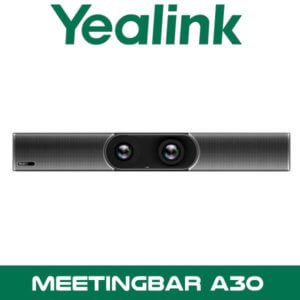
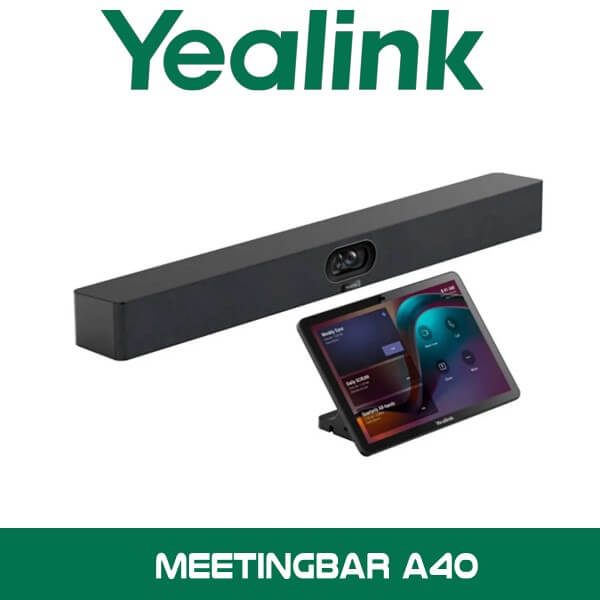
A lot of Dubai meeting rooms look premium until the first live call starts. Glass partitions in DIFC. Echo from hard ceilings in Business Bay. Eight people around the table, but the far end only sees four properly. Then someone needs to join from a laptop instead of the room system and the whole meeting slows down. The Yealink MeetingBar A40 is built for that exact kind of room. One all-in-one Android video bar under the display. Dual 48MP cameras. 120° field of view. 8 MEMS microphones. 2 stereo speakers. Less clutter on the table. Less time wasted before the meeting even begins.
For companies searching Yealink MeetingBar A40 Dubai or Yealink MeetingBar A40 UAE, the real advantage isn’t just that it supports Microsoft Teams Rooms and Zoom Rooms. It’s that the A40 gives you a native room device for daily scheduled meetings, while still offering wired BYOD when a visiting consultant, legal team, or client wants to run the call from a laptop. In practical terms, that suits DMCC boardrooms, JLT client meeting spaces, schools, clinics, and executive rooms that need one neat front-of-room device without adding a separate PC on the table.
2 x 48MP
Dual AI Cameras
120°
Wide Field of View
8
MEMS Microphones
2
Stereo Speakers Built In
Product Overview
The Yealink MeetingBar A40 is an all-in-one Android collaboration bar positioned for premium small to medium meeting rooms. Yealink uses a dual-camera design that combines the image from two 48MP lenses for higher picture detail, then adds AI-driven framing modes so the far end doesn’t just see a static wide shot all day. If you’re standardising meeting spaces across one office or multiple branches, this matters. Same user experience. Same front-of-room layout. Same cable path under the display.
For UAE fit-outs, that’s easier to sell than a pile of separate parts. One bar. Optional touch console. Optional expansion microphones. Clean placement under a single or dual-display room screen. It fits naturally into projects where clients are also comparing options under our Yealink video conferencing range and wider video conferencing systems in Dubai. It also suits mixed estates where some rooms run native Teams or Zoom while others still need laptop-based meetings from time to time.
Technical note: Yealink positions the A40 for premium small to medium rooms, but it can also support wider room designs through compatible accessories such as the CTP25 touch panel and additional audio peripherals when pickup coverage needs to go beyond the bar alone.
Why Resellers Specify the A40
First, the camera system is better thought through than many room bars in this size class. The A40 uses dual 48MP lenses and AI features such as IntelliFocus and framing modes to keep active participants clear on screen. That’s useful in rooms where people don’t sit perfectly centred. Think legal offices in DIFC, finance teams in Abu Dhabi, or executive meeting rooms in Sharjah where six to ten people may spread out across a long table.
Key point: The A40 gives you a 120° field of view with dual 48MP imaging, so you don’t have to push the table too close to the display wall just to keep everyone inside the frame.
Second, it solves the platform problem without making the room messy. Yealink offers the A40 for Microsoft Teams Rooms and Zoom Rooms, and the touch-enabled CTP25 option gives users a proper room interface instead of relying only on a handheld remote. For IT teams managing multiple meeting spaces, that means fewer user errors. Walk in. Tap the room panel. Join. Done.
Third, the wired BYOD mode is a strong sales angle in Dubai because not every meeting follows the room standard. External auditors may arrive with their own client platform. Consultants may want to share from a laptop. Training teams may run a different application for one session. In BYOD mode, the connected laptop can use the A40 camera, microphones, speakers, and room display. That gives procurement teams one room investment that still works when real-life meeting habits don’t follow policy.
Key point: Wired BYOD is useful for UAE boardrooms that alternate between native Teams Rooms use and guest laptop meetings. You keep the room system ready, but you don’t lose flexibility.
Fourth, the A40 is easier to manage at scale than many one-room-only solutions. Through Yealink Management Cloud Service, IT teams can manage, monitor, deploy, and troubleshoot devices across distributed workplaces. That’s relevant for groups with rooms in Dubai, Abu Dhabi, and Sharjah, or for system integrators handing over multiple sites to one IT department. It also fits well alongside service support planning under our IT AMC support in Dubai when the client wants one contractor covering collaboration gear and ongoing support.
Platform Compatibility
The A40 is positioned for native Microsoft Teams Rooms and Zoom Rooms deployments, which makes it suitable for businesses standardising around scheduled room meetings instead of ad-hoc USB webcams. If the client is already rolling out Teams calling, shared meeting rooms, or centralised device policies, the A40 sits neatly into that plan. For Zoom-heavy users, the same hardware platform also has Zoom Rooms positioning, so the room design doesn’t need to change just because the collaboration platform does.
| Platform / Function | How the A40 Fits |
|---|---|
| Microsoft Teams Rooms | Native room-system deployment with touch-control option via CTP25, suitable for small to medium meeting rooms. |
| Zoom Rooms | Native Zoom room deployment on the same A40 hardware family for standardised room design. |
| Wired BYOD | Lets a connected laptop use the bar camera, microphones, speakers, and display for non-native meetings. |
| Content Sharing | Supports wired content sharing and broader room collaboration workflows with compatible Yealink accessories. |
| Remote Management | Works with Yealink Management Cloud Service for remote deployment, monitoring, and support workflows. |
Where This Sells — Kenya / Education
Private schools and training groups buying room bars for hybrid classrooms and admin meeting rooms
AV resellers in Kenya typically supply the Yealink MeetingBar A40 for private school campuses, university admin offices, and training centres that need one simple room endpoint instead of a PC plus separate USB peripherals. Typical project size is 4 to 12 rooms in one phase, often mixing boardroom spaces with medium training rooms. FOB Dubai pricing matters here because buyers want a clean landed-cost comparison before approving multiple rooms. Integrators also like the A40 because it can cover native Teams or Zoom use while still giving wired BYOD for guest trainers and visiting consultants.
Specifications
| Specification | Detail |
|---|---|
| Product type | All-in-one Android video collaboration bar |
| Room size | Premium small to medium rooms |
| Camera system | Dual-camera design with 2 x 48MP lenses |
| Field of view | 120° |
| Microphones | Built-in 8 MEMS microphone array |
| Speakers | Built-in 2 stereo speakers |
| Expansion audio | Supports up to 2 additional expansion microphones |
| Operating platform | Android-based room device |
| Native room platforms | Microsoft Teams Rooms and Zoom Rooms |
| Touch controller option | CTP25 available on selected bundle variants |
| BYOD mode | Wired BYOD supported |
| Management | Yealink Management Cloud Service (YMCS) |
| Deployment position | Under-display room bar for professional meeting spaces in Dubai, Abu Dhabi, Sharjah and across UAE |
Which A40 Variant Fits the Room
Most buyers in Dubai don’t get stuck on the camera. They get stuck on control. If the room is used by directors, HR, finance, or external visitors every day, the version with the touch console is usually the safer choice. If the room is lightly used and someone is happy with a remote control, the simpler bundle may be enough.
| Feature | A40-010 | A40-031 |
|---|---|---|
| Core MeetingBar A40 unit | Yes | Yes |
| Remote control | VCR11 included | Usually not the main control method |
| Touch controller | No | CTP25 included |
| Best fit | Cost-conscious rooms with simple usage | Daily-use meeting rooms, executive rooms, shared boardrooms |
| Typical buyer in UAE | Training room, branch office, internal meeting room | Head office boardroom, client-facing room, premium fit-out |
Not the right fit?
If the room is very small and you don’t need the A40 camera and audio headroom, look at a lower-tier room bar instead. If the room is larger than a typical medium meeting space or has difficult ceiling acoustics, plan the A40 with expansion microphones or a wider Yealink room design from our Yealink video conferencing range.
What’s in the Box
The exact pack depends on the bundle version, but the shipment is generally centred around the MeetingBar A40 itself, power supply, mounting hardware, and either the VCR11 remote or the CTP25 touch panel depending on the selected kit. For most UAE projects, buyers also ask us to quote the practical extras at the same time so the room is complete on day one rather than waiting for a second shipment.
Not included — order separately if needed
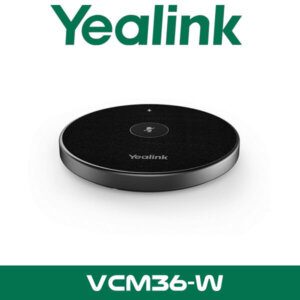
Interactive display or commercial screen, floor or wall mount, extra microphones, wireless presentation pod, structured cabling, network switch, and any room scheduling accessories. WhatsApp for a combined quote with the right bundle.
Stock & Export: Yealink MeetingBar A40 in stock in our Dubai warehouse. FOB Dubai pricing available for resellers and project quantities. Ships to Africa, GCC, and South Asia. Bulk orders — same-day quote on WhatsApp. Distributor pricing for registered IT companies.
Where It Works Well in UAE Projects
The A40 makes sense in meeting rooms where clients want a proper room system without a complicated AV rack. Law firms in DIFC like that because the room starts fast and stays tidy. Schools in Dubai and Sharjah use it for hybrid admin meetings and parent sessions. Clinics and specialist healthcare groups like the one-bar design because there are fewer loose devices on the table and fewer touchpoints for staff to manage.
It’s also a practical fit for Abu Dhabi sites where the client wants standardised meeting spaces across one HQ and several branch rooms. One platform. One management path. One training habit for users. For companies searching Yealink MeetingBar A40 Abu Dhabi or Yealink MeetingBar A40 UAE, that’s usually the stronger buying reason than just camera resolution on paper.
Technical note: For rooms with glass walls, reflective tables, or HVAC noise above the seating area, place the A40 at the correct display height and check whether expansion microphones will improve pickup consistency. That’s common in Business Bay and JLT fit-outs.
Often Bundled With This Product
Often Bundled With This Product
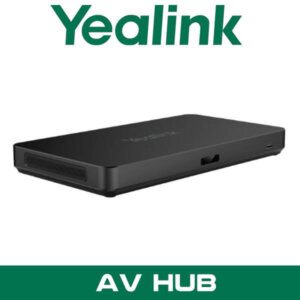
Resellers supplying the Yealink MeetingBar A40 typically bundle it with a Microsoft Teams Rooms setup, a Zoom Rooms deployment, a commercial display with mount, Yealink touch control, wireless content sharing accessories, structured cabling, and ongoing IT AMC support. It also sits naturally beside broader office collaboration rollouts from our video conferencing systems Dubai portfolio and brand-specific planning under our Yealink distributor page. Combined project pricing available — WhatsApp for a bundled quote.
Industry Fit
One strong use case for the A40 in Dubai is legal and financial meeting rooms. These teams don’t want a consumer webcam clipped to a display. They want a room that opens with one tap, shows everyone clearly, and keeps guest-device chaos under control. The A40 fits that profile well. It works for scheduled internal meetings on the room platform, then falls back to wired BYOD when outside counsel or auditors arrive with their own laptop workflow.
For schools and training organisations, the A40 is also easier to support than a PC-led room setup. Fewer separate components. Cleaner front wall. Simpler handover to admin staff. In healthcare consultation and admin spaces, the same logic applies. Keep the room straightforward. Keep the shared controls clear.
Supply Across Abu Dhabi and UAE
Vector Dubai supplies the Yealink MeetingBar A40 across Dubai, Abu Dhabi, Sharjah, Ajman, Ras Al Khaimah, Fujairah, and Umm Al Quwain. We also handle requirements in DMCC, DIFC, JLT, Business Bay, DAFZA, and JAFZA where meeting room standards often need to be repeated across several offices or client-facing rooms. For buyers comparing room bars, the A40 gives a cleaner answer than mixing a webcam, speakerphone, mini PC, and loose cables on a conference table.
Africa, GCC, and Export Projects
We supply Yealink MeetingBar A40 projects from Dubai for AV integrators and corporate IT buyers in Ghana, Nigeria, Kenya, Saudi Arabia, Oman, Pakistan, and Bangladesh. FOB Dubai pricing is available for single-room orders and wider rollouts, especially when the project includes touch panels, displays, mounts, or additional room accessories in the same shipment. This product is a practical export item because buyers can standardise multiple meeting rooms around one bar and one management path. For project quantities and export packing details, WhatsApp our Yealink video conferencing team before finalising the room bill of materials.
About Vector Dubai — Authorised Yealink Distributor
Vector Dubai is an authorised Yealink distributor in Dubai, UAE. Yealink MeetingBar A40 is available in stock with supply across all 7 UAE emirates and export to Africa, GCC, and international markets. Contact: +971 4 450 4145, sales@vdsae.com, International City, Dubai.
FAQ
Is the Yealink MeetingBar A40 better for Teams Rooms or Zoom Rooms?
It works for both. The better choice depends on the client’s room standard. If the business already uses Microsoft 365 meeting rooms and shared calendars, Teams Rooms is usually the cleaner rollout. If their estate is built around Zoom Rooms, the same A40 hardware still fits without changing the room design.
Can I use the A40 with a laptop for guest meetings or non-standard apps?
Yes. The A40 supports wired BYOD, so a connected laptop can use the room bar’s camera, microphones, speakers, and display. That’s useful for consultants, training sessions, external audits, and client calls that don’t follow the room’s native platform.
Do I need the CTP25 touch panel, or is the remote enough?
For shared meeting rooms, the CTP25 is usually the better choice. It’s faster for daily users and easier for guests to understand. The remote-based version suits lighter-use rooms where cost matters more than touch control.
Is reseller pricing available for project quantities in Dubai or Abu Dhabi?
Yes. We quote reseller and project quantities from our Dubai stock, including bundles with touch control, accessories, displays, and room-ready items. Share the room count and required platform on WhatsApp for a faster quote.
Can I order the Yealink MeetingBar A40 for a project in Ghana, Nigeria, or Oman?
Yes. Export supply is available with FOB Dubai pricing for Africa and GCC orders. Buyers usually ask us to combine the A40 with the right control, sharing, and mounting accessories in one shipment so site teams don’t end up missing key parts.
Is the A40 in stock in Dubai, and what’s the lead time for bulk orders?
Stock status changes by bundle version, but A40 enquiries are handled from Dubai inventory planning. For larger quantities, send the required variant and room count on WhatsApp and we’ll confirm current availability and project lead time.
Yealink MeetingBar A40 in stock in Dubai. Supply across all 7 UAE emirates. AED pricing confirmed on WhatsApp. Monday to Saturday, 8AM to 6PM.
+971 4 450 4145 · sales@vdsae.com · Mon–Sat 8AM–6PM