

Description
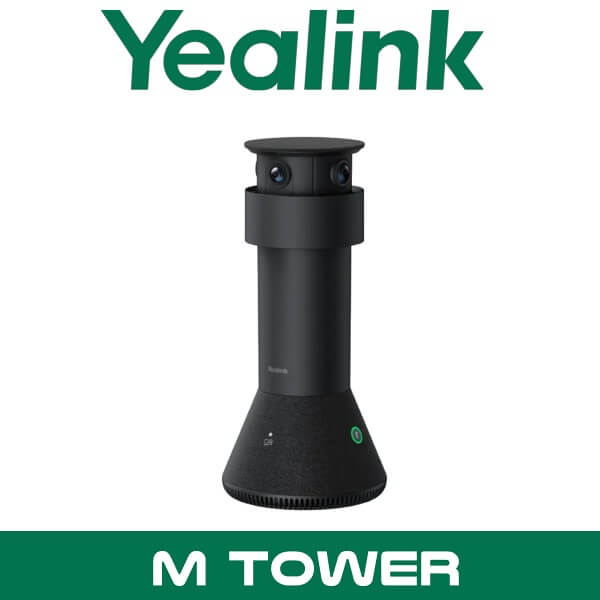
Yealink MTower Dubai Teams Rooms Camera UAE
You’ve already installed a front-of-room camera. The screen looks fine from the back row. But the people joining from home still see side profiles, half-turned faces, and that one person at the end of the table who always disappears behind a laptop. Common problem in Dubai boardrooms. Glass walls in DIFC. Long tables in Business Bay. Narrow meeting rooms in JLT where everyone sits shoulder to shoulder and the front camera can’t give remote users a natural view of who’s speaking.
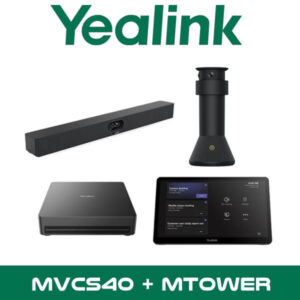
The Yealink MTower fixes that specific issue. It’s a center-view intelligent tabletop camera built for Microsoft Teams Rooms, designed to work with a front-of-room Yealink room system and add a much more direct participant view from the middle of the table. Not a replacement for your room bar. Not a standalone all-in-one unit. It’s the missing piece for hybrid meeting rooms where remote participants need to see faces head-on instead of guessing from a wide shot.
3x 4K
Built-in Cameras
322°
Combined Camera Coverage
6+1
Built-in Mic Array
7.5m
CAT5e Cable Included
Key point: Yealink MTower is built for front + center view in Microsoft Teams Rooms. If your room already uses a Yealink front camera or MeetingBar, MTower adds the center-of-table angle that makes hybrid meetings feel less flat and less awkward.
What Yealink MTower actually does in a meeting room
Most UAE listings stop at “AI camera” and leave the buyer to work out the rest. Here’s the practical version. MTower sits on the meeting table and captures people from a more natural frontal angle. When paired with the front-of-room Yealink system, it helps the room switch to the best participant view, so the people joining on Microsoft Teams can see who is talking with less head turning, less profile-only framing, and fewer blocked faces.
That matters more than it sounds. In many meeting rooms across Abu Dhabi and Dubai, the display and bar are mounted correctly, but the seating layout isn’t. One person faces the screen. Another faces sideways. Someone leans back near the end of the table. The front camera sees the room, but not the people in the most natural way. MTower adds that missing center perspective without turning the project into a large custom AV build.
For companies already standardised on Yealink, it also fits neatly into a broader room setup. Buyers looking at Yealink solutions in Dubai usually need consistency across touch panels, room bars, content sharing, and management. MTower makes sense in that type of rollout. Especially when the requirement is Teams Rooms, cleaner participant framing, and easier support across several branches.
Features buyers usually miss
Technical note: MTower uses three built-in 4K cameras with one telephoto center camera and two wide-angle side cameras. That mix matters because it is designed for tabletop participant capture, not just a stitched panoramic room image.
Three 8MP Sony sensors. Yealink equips MTower with three built-in 4K cameras using three 8MP Sony sensors. The center camera uses a narrower telephoto view to hold facial detail, while the side cameras widen the coverage around the table. For procurement teams, that’s the difference between a spec sheet claim and a camera layout that actually suits seated participants.
Best-view switching for hybrid meetings. Yealink positions MTower around front + center view with intelligent perspective switching. In plain words, the room can present a better frontal image of the active participant instead of leaving remote attendees stuck with a side angle. In legal offices, executive meeting rooms, and finance environments in DIFC, that can make discussions feel much more direct.
Magnetic levitation privacy cover. This is one of the details competitors skip. MTower uses an automatic privacy cover that rises and falls with meeting status. Good for boardrooms where users want a visible privacy state, especially in confidential discussions.
Built-in microphone pickup. It includes a 6+1 beamforming microphone array with 3 metres of quality voice pickup and up to 6 metres maximum pickup. That doesn’t replace every room audio design, but it does help in smaller and medium rooms where the table device is positioned close to the speakers.
Local controls on the unit. MTower includes camera mute, dual microphone mute buttons, and reset on the device itself. That sounds minor until the touch panel is across the table and someone wants to mute locally in the room without breaking the flow of the meeting.
Why this sells in Dubai: Many boardrooms here use premium fit-out finishes, long timber tables, and glass partitions. They look good in person, but they make remote participant framing harder. MTower is for buyers who already know the room looks fine physically and now want the call experience to match.
Product overview for Yealink MTower UAE projects
Yealink MTower UAE demand usually comes from one of three buyer types. First, the company already has a Yealink Teams Rooms environment and wants to improve medium-room meeting quality without replacing the full front-of-room setup. Second, the integrator is designing a new Teams room and wants a front + center camera combination from day one. Third, the project is part of a wider corporate standard where room consistency matters across Dubai, Abu Dhabi, Sharjah, and the rest of the UAE.
The device is compact enough for table placement but still built as a serious room accessory. It measures 142.5 mm in diameter and 303 mm in height, with a listed weight of 1.23 kg. Power and connectivity are simplified through the included 7.5 metre CAT5e cable and VCH connection. For fit-out contractors and AV teams, that makes planning easier when the table position is fixed and the front device is mounted near the display wall.
MTower also belongs in the broader Yealink collaboration stack. It naturally supports projects tied to Microsoft Teams Rooms in Dubai and works alongside Yealink room systems rather than competing with them. That’s important for support teams who want a cleaner platform approach instead of mixing random USB cameras, third-party control devices, and separate management tools.
Specifications
| Specification | Detail |
|---|---|
| Product type | Center-view intelligent tabletop camera for Microsoft Teams Rooms |
| Camera system | 3 built-in 4K cameras, triple-eye design |
| Image sensors | 3 x 8MP Sony sensors |
| Center camera HFOV | 84.4° horizontal field of view |
| Side camera HFOV | 2 x 151° horizontal field of view |
| Combined coverage | 322° camera coverage |
| Microphones | 6+1 beamforming microphone array |
| Voice pickup | 3 m quality pickup, up to 6 m maximum pickup |
| Processor | Qualcomm QCS8550 |
| Controls | Camera mute, dual mic mute buttons, reset |
| Privacy | Automatic magnetic levitation privacy cover |
| Connection | 1 x VCH port over RJ-45 |
| Dimensions | 142.5 x 303 mm |
| Weight | 1.23 kg |
| In the box | MTower unit, tabletop fixed bracket, 7.5 m CAT5e cable |
Platform compatibility
Yealink positions MTower as a Microsoft Teams Rooms accessory. That’s the right way to sell it. It is designed to work with Yealink room systems for front + center view scenarios and is especially relevant where intelligent participant perspective matters more than just room coverage. For buyers standardising on Teams Rooms across multiple offices, that gives a cleaner path than building mixed-brand workarounds.
Yealink support documentation specifically references IntelliVision operation with SmartVision 40 and with MeetingBar A40/A50 environments. For UAE integrators, that means MTower belongs in a proper Yealink room design discussion, not a generic USB camera shortlist. If the project scope also includes management and monitoring, Yealink’s cloud ecosystem supports device deployment, monitoring, topology visibility, and troubleshooting across the estate. That’s useful when the same IT team manages rooms in Dubai and Abu Dhabi from one dashboard.
Technical note: MTower should be specified as part of a Yealink Teams Rooms design. It is not the right product for buyers looking for a standalone USB camera for ad hoc BYOD meeting spaces.
Where This Sells — Ghana / Legal & Corporate Boardrooms
Used by AV integrators supplying executive meeting rooms that already have a front-of-room Teams setup
IT and AV resellers in Ghana typically buy the Yealink MTower for legal firms, regional HQ boardrooms, and finance teams that need more natural participant framing on Microsoft Teams calls. Typical project size is 2 to 8 rooms in one phase, usually bundled with Yealink front-of-room devices, touch panels, and content sharing accessories. For export buyers, FOB Dubai supply works well because the MTower is compact, easy to combine with room bundles, and suits standardised corporate meeting room rollouts where remote participant experience matters as much as camera resolution.
Which Yealink room setups it fits
| Requirement | Yealink MTower | Standard Front Camera Only |
|---|---|---|
| Head-on participant view from the table | Yes, built for center-view capture | Limited in long-table rooms |
| Works as standalone room bar | No | Depends on selected bar or camera |
| Best fit | Teams Rooms already using Yealink front-of-room devices | Basic rooms with simple wide-angle coverage |
| Room type | Small to medium meeting rooms with fixed table seating | Huddle or basic meeting spaces |
| Buyer profile | Corporate AV, IT managers, room standardisation projects | Single-room budget-led refresh |
Not the right fit?
If your requirement is a standalone USB camera or an all-in-one bar for a simple huddle room, this isn’t the model to start with. MTower is for Yealink Microsoft Teams Rooms designs where front + center participant view is the real requirement.
That’s why Yealink MTower Dubai enquiries usually come later in the sales cycle. The buyer already knows the room needs Teams. The display wall is already defined. The front camera is already shortlisted. Then someone runs a live call and notices the people around the table still don’t look right to remote attendees. That’s the moment MTower starts making sense.
For boardrooms in Abu Dhabi, Dubai, and Sharjah, the value is less about raw camera count and more about meeting behaviour. People don’t sit perfectly. They turn to side screens. They place laptops in front of them. Some rooms have decorative lighting that looks good onsite but creates uneven participant framing on camera. A center-view device solves a real usage problem, not just a spec comparison problem.
What’s in the box
Yealink keeps the package straightforward. You get the MTower unit itself, a tabletop fixed bracket, and a 7.5 metre CAT5e cable. That cable length is worth calling out because it gives AV installers more flexibility when the table position is fixed and cable routing has to pass through floor boxes or table grommets.
Not included — order separately if needed
Front-of-room Yealink Teams device, room touch console, display, network switching, structured cabling, and any extra room audio components for larger spaces. WhatsApp for a combined quote.
Stock & Export: Yealink MTower in stock in our Dubai warehouse. FOB Dubai pricing available for resellers and project quantities. Ships to Africa, GCC, and South Asia. Bulk orders — same-day quote on WhatsApp. Distributor pricing for registered IT companies.
Often bundled with this product
Reseller bundle logic
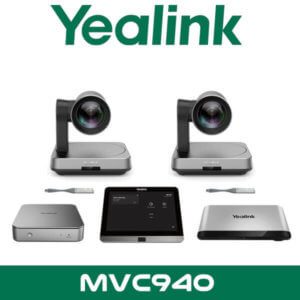
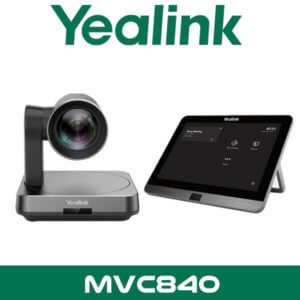
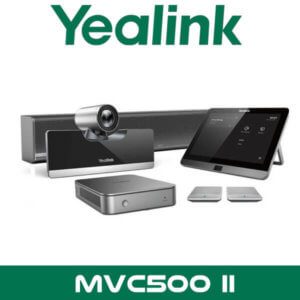
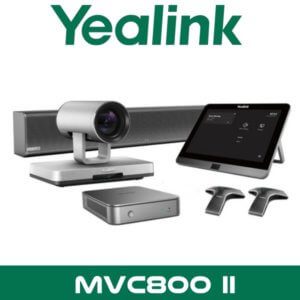
Resellers quoting the Yealink MTower usually bundle it with a front-of-room Yealink Teams setup, room control, platform licensing, and support coverage rather than selling it as a single box. The most common bundle path is a full Yealink video conferencing system with a Microsoft Teams Rooms deployment, plus rollout support for multiple sites.
Typical add-ons in the same quote include Yealink room bars, touch consoles, content sharing accessories, display integration, meeting room video hardware, Zoom Rooms options for mixed estates, IT AMC support, and post-deployment remote assistance. Combined project pricing available on WhatsApp.
There’s also a practical crossover with telecom and collaboration. Companies refreshing meeting rooms often also review executive desk phones, mobile softphone workflows, and branch calling. That’s why MTower projects sometimes sit alongside office phone mobile app deployments or wider collaboration refresh work. Same procurement cycle. Same IT team. Same budget line.
Industry fit
This model fits sectors where the way people appear on screen matters almost as much as the audio. Legal firms in DIFC and ADGM. Investment teams holding cross-border meetings. Regional HQ boardrooms. Healthcare consultation spaces where participants need to be seen clearly around a table. Education leadership rooms handling committee and remote governance sessions. In these rooms, a flat front-only camera angle often feels like a compromise.
It’s also a good match for companies standardising premium meeting spaces across several UAE offices. One room in Dubai. Another in Abu Dhabi. A training room in Sharjah. The same user experience matters because employees move between branches and expect the Teams room to behave the same way every time.
Yealink MTower Abu Dhabi and UAE supply
Vector Dubai supplies Yealink MTower across all 7 emirates — Dubai, Abu Dhabi, Sharjah, Ajman, Ras Al Khaimah, Fujairah, and Umm Al Quwain. For corporate buyers and integrators, the normal requirement is simple: verified product, UAE invoice, fast delivery, and the right room design advice before the box gets ordered. That matters more than chasing random marketplace listings with incomplete compatibility details.
For free zone projects, MTower is relevant in DMCC, DIFC, JLT, Business Bay, DAFZA, and JAFZA where hybrid meetings are routine and Teams Rooms projects are often standardised across departments. If the project is part of a wider meeting room refresh, it also makes sense to review the broader Yealink distributor range in Dubai before locking the final bill of materials.
Export from Dubai for Africa, GCC, and South Asia
We handle FOB Dubai supply for Yealink MTower project quantities shipping to Kenya, Nigeria, South Africa, Ghana, Saudi Arabia, Oman, Qatar, Pakistan, Sri Lanka, and Bangladesh. Typical buyers are AV integrators, corporate IT teams, and project importers standardising Microsoft Teams Rooms across regional offices. MTower is usually packed with the rest of the room hardware so the buyer gets one aligned shipment instead of sourcing accessories from multiple vendors. For export orders, send the room count, target country, and preferred platform so we can quote the correct bundle with FOB Dubai pricing.
About Vector Dubai — Authorised Yealink Distributor
Vector Dubai is an authorised Yealink distributor in Dubai, UAE, supplying the Yealink MTower across all 7 UAE emirates and for export to Africa, GCC, and international markets. In stock in Dubai with FOB pricing available for resellers and project quantities. Operating since 2010. Contact: +971 4 450 4145 · sales@vdsae.com · Monday–Saturday 8AM–6PM.
Frequently asked questions
Is Yealink MTower a standalone video bar?
No. It is a center-view tabletop camera designed to work as part of a Yealink Microsoft Teams Rooms setup. It adds a front-facing participant angle from the meeting table rather than replacing the main front-of-room device.
Will it work with Microsoft Teams Rooms in our Dubai office?
Yes, that is the main use case. MTower is positioned by Yealink for Microsoft Teams Rooms environments and is suited to small and medium meeting rooms where participant framing from the table needs improvement.
Can I use Yealink MTower for Zoom Rooms as well?
This model should be sold as a Yealink Teams Rooms accessory unless your room design has been reviewed in detail. For mixed-platform estates, tell us whether the room is Teams-first or Zoom-first before ordering.
Is reseller pricing available for 5 or more rooms?
Yes. Project and reseller pricing is available for multi-room deployments, export quantities, and standardised enterprise rollouts. Send your room count and destination on WhatsApp for a faster quotation.
Do you keep Yealink MTower in stock in Dubai?
Stock changes by project cycle, but Dubai warehouse availability and lead time can be confirmed on WhatsApp the same day. Bulk quantities should be checked before finalising tender or rollout dates.
Can I order Yealink MTower for a project in Ghana or Saudi Arabia?
Yes. We supply FOB Dubai for Africa, GCC, and South Asia project shipments. Share the destination country, required quantity, and full Yealink room bill of materials for an export quote.
Yealink MTower in stock in Dubai. Supply across all 7 UAE emirates and export support for Africa, GCC, and South Asia. AED pricing confirmed on WhatsApp. Monday to Saturday, 8AM to 6PM.
+971 4 450 4145 · sales@vdsae.com · Mon–Sat 8AM–6PM




































Reviews
There are no reviews yet.