
Description
Yealink MVC S90 Dubai Microsoft Teams Rooms System UAE
A small meeting bar is fine until the room stops being small. Then the problems start. The chairman sits 8 metres from the display. Two people join late from Teams on a guest laptop. Someone at the far end speaks and the camera stays wide. In Dubai boardrooms with glass partitions, ceiling AC noise, and long tables built for 16 to 24 seats, that setup falls apart fast.
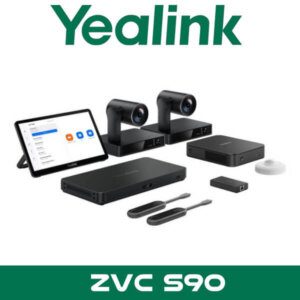
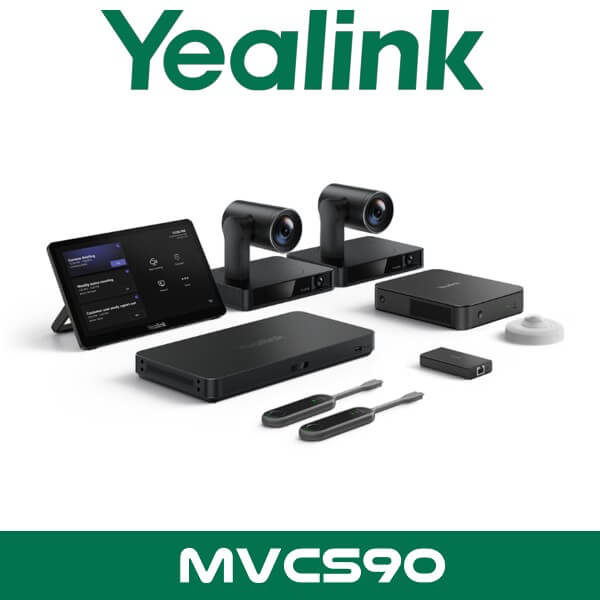
The Yealink MVC S90 is built for those rooms. Not huddle spaces. Proper boardrooms, divisible training rooms, multi-purpose briefing spaces, and executive meeting rooms where one fixed camera is never enough. You get a Microsoft Teams Rooms system with dual Yealink UVC86 4K PTZ cameras, the AVHub multi-camera processor, MTouch Plus touch panel, RoomSensor, BYOD extender, and Yealink’s Windows-based room compute kit. For consultants working on DIFC, DMCC, Business Bay, or Abu Dhabi HQ fit-outs, that matters because the room usually needs camera intelligence, coverage depth, and clean table control from day one.
2 × 4K
UVC86 PTZ Cameras
Up to 9
Yealink Cameras via AVHub
3
HDMI Outputs on MCore 4
Teams
Rooms Certified System
Key point: The real value in the MVC S90 is not just the two PTZ cameras. It’s the AVHub architecture behind them. That gives you better framing options for long tables, presenter-led sessions, and rooms that need more than one camera angle to feel natural on Microsoft Teams.
Why This System Gets Specified for Large Rooms
Most boardroom complaints aren’t really about “video conferencing.” They’re about room geometry. The table is too long. The presenter keeps walking. The display wall is off-centre. There’s a second row of seats behind the main table. Or the client wants a partitioned room in Sharjah or Abu Dhabi that works as one large training room on Monday and two separate spaces on Tuesday. The MVC S90 is one of the Yealink packages that actually deals with that reality.
With two UVC86 cameras in the base kit and support for more Yealink cameras through AVHub, consultants can design wider coverage without pushing people into awkward seating positions. That’s useful in legal boardrooms where every face needs to be visible, in education settings where trainers move around the room, and in corporate meeting spaces where guests join by laptop one day and the native Teams Rooms interface the next.
It also fits naturally into projects where clients are already asking about Microsoft Teams Rooms in Dubai or comparing Yealink with other room ecosystems. If the room size is beyond what a single-bar appliance can cover well, the MVC S90 usually belongs on the shortlist.
Product Overview
Yealink positions the MVC S90 for extra-large conference rooms. In plain terms, that means spaces where the client cares about camera placement, multi-camera behavior, room control, and participant visibility more than they care about having the smallest possible hardware footprint. The package combines compute, touch control, camera intelligence, sensor data, and BYOD access into one Teams-native room system.
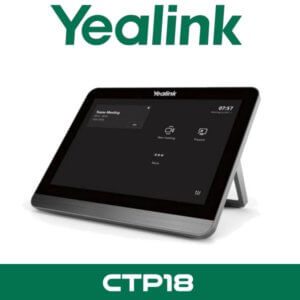
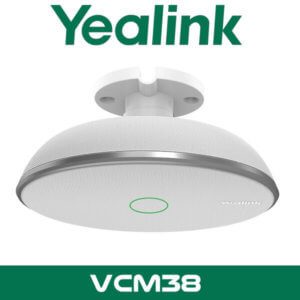
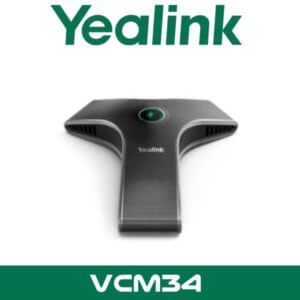
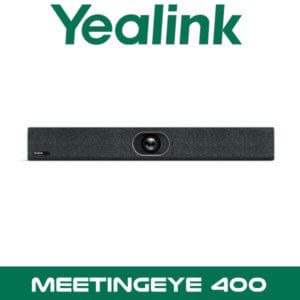
In the box, the core elements are the MCore room PC, MTouch Plus touch controller, AVHub, RoomSensor, two UVC86 4K PTZ cameras, and the WPP30-style BYOD/content sharing path depending on project design. That gives integrators a cleaner starting point for larger rooms than mixing unrelated parts from different vendors and hoping control logic behaves properly.
For UAE projects, that makes procurement simpler. One brand. One Teams Rooms stack. Easier quoting. Easier lifecycle planning. Easier support conversation when the customer wants Yealink across the room system, desk phones, and collaboration endpoints. It also sits naturally within our wider Yealink video conferencing range and the broader video conferencing systems Dubai category for multi-room tenders.
Technical note: The current MVC S90-C5U package uses the newer MCore 4 platform with Intel Core Ultra 5 125H, 16GB DDR5 memory, 256GB SSD storage, Wi-Fi 6, Bluetooth 5.2, TPM 2.0, and three HDMI display outputs. That’s relevant for clients standardising on newer Windows-based Teams Rooms hardware.
Features That Matter in Real Projects
Dual UVC86 PTZ cameras in the standard package. This is one of the reasons the MVC S90 feels different from a compact room bar. The UVC86 is a dual-eye 4K PTZ camera, so the room gets a more flexible camera system from the start. In long tables, one camera can stay focused on the speaking side while the overall room still feels properly covered.
AVHub for multi-camera intelligence. A lot of listings just mention AVHub and move on. But this is where the room becomes scalable. AVHub can coordinate multiple Yealink cameras and supports up to nine in total. For larger training suites or divisible spaces, that’s a practical design advantage, not a brochure line.
Key point: If your client has a 14-seat boardroom in JLT, two cameras may be enough. If it’s a 28-seat divisible training room in Abu Dhabi with a presenter zone and back-row seating, the MVC S90 architecture gives you room to grow without changing the whole platform.
Presenter tracking and gesture trigger options. The UVC86 supports presenter tracking with zone-based behavior and gesture activation. That’s useful in training sessions, internal town halls, education environments, and executive briefing rooms where one person moves more than everyone else. You don’t always need it. But when you do, it saves the room from feeling static.
Multi-stream framing for Teams Rooms. Yealink’s current platform highlights multi-stream IntelliFrame and multi-speaker tracking behaviors. In plain English, remote participants get a better chance of seeing active people more clearly instead of one permanently wide room shot. For boardrooms with side conversations or speaker changes across the table, that helps a lot.
BYOD path for guest laptop meetings. This matters in Dubai because not every meeting is run natively inside Teams Rooms. Consultants, auditors, regional partners, and external trainers often arrive with their own device. The MVC S90 package supports BYOD workflows so the room hardware can still be used without tearing up the Teams setup.
RoomSensor included. A lot of pages ignore this, but it’s useful. Yealink’s RoomSensor is positioned around occupancy plus environmental awareness such as temperature, humidity, and light conditions. That gives room managers better visibility into usage and can support smarter meeting space decisions over time.
Third-party room control integration angle. For Pro AV consultants and custom boardroom designers, Yealink RoomConnect can expose HTML5 control support for ecosystems such as Q-SYS, Extron, Biamp, AMX, and Atlona. That’s one of the stronger technical talking points if the client already has room control expectations beyond basic Teams use.
Specifications
| Specification | Detail |
|---|---|
| Product type | Microsoft Teams Rooms system for extra-large meeting rooms |
| Base cameras | 2 × Yealink UVC86 dual-eye 4K PTZ cameras |
| Camera scaling | Supports up to 9 Yealink cameras through AVHub |
| Touch panel | Yealink MTouch Plus |
| Compute platform | Yealink MCore 4 room PC in current C5U version |
| Processor | Intel Core Ultra 5 125H |
| Memory | 16GB DDR5 |
| Storage | 256GB SSD |
| Wireless | Wi-Fi 6 and Bluetooth 5.2 |
| Display outputs | 3 × HDMI outputs |
| Security | TPM 2.0, secure boot support, kernel DMA protection |
| Room sensor | Yealink RoomSensor included |
| Content/BYOD | Supports wired and wireless sharing workflows, including BYOD use cases |
Platform Compatibility
The MVC S90 is the Microsoft Teams Rooms variant, so this is the right model when the customer wants a native Teams Room experience with one-touch join, Microsoft-certified hardware, and a room workflow aligned with Microsoft 365 meeting environments. For UAE enterprises already standardised on Teams, that cuts down user confusion and keeps meeting rooms consistent across Dubai, Abu Dhabi, and branch offices.
For buyers comparing Teams and Zoom, the right comparison is not “can this one box do both at once?” The better answer is platform matching. MVC S90 is the Teams Rooms package. Yealink also has an S90 package for Zoom Rooms, so the room design can stay close while the platform choice follows the customer’s UC standard. That’s useful for regional groups with mixed requirements.
Technical note: The MVC S90 works best when paired with a properly designed room audio and display layout. In larger rooms, microphone placement, speaker coverage, and display positioning matter as much as the camera package. That’s why consultants often evaluate it together with the broader Yealink distributor in Dubai portfolio rather than as a standalone box.
Where This Sells — Ghana Corporate Training
Large training rooms, boardrooms, and regional briefing spaces
IT integrators in Ghana buy the Yealink MVC S90 for corporate training centres and head office boardrooms where a simple video bar won’t cover the room properly. Typical project size is 1 to 3 systems for executive floors, or 4 to 8 rooms for a regional office rollout, usually quoted FOB Dubai with display, DSP, and microphone planning handled as a package. It also fits legal and finance environments where every participant needs to be seen clearly during hybrid meetings, not just the people nearest the screen.
MVC S90 vs Smaller Room Systems
This is not the Yealink model you pick just because the customer asked for “something for Teams.” The MVC S90 is for rooms that are already difficult by layout. Long boardroom tables. Two seating zones. Presenter-led sessions. Spaces with movable partitions. Rooms where the far-end experience actually matters because senior management, legal counsel, or regional partners are on the call.
If the room is a small executive office or a standard 6-seat huddle area in Business Bay, a simpler Teams Rooms setup may make more sense. But once the client starts talking about extra-wide framing, tracking a trainer, covering both ends of a long table, or future camera expansion, the MVC S90 becomes easier to justify. Less compromise later.
| Feature | MVC S90 | Smaller Teams Room Setup |
|---|---|---|
| Room size target | Extra-large boardrooms and training rooms | Small to medium meeting rooms |
| Camera approach | Dual 4K PTZ cameras in base package, expandable through AVHub | Usually single camera or simpler room coverage |
| Presenter-led rooms | Better fit for training, briefings, and dynamic speaker movement | Often better for seated discussions only |
| Future scale | Up to 9 Yealink cameras through AVHub | Limited expansion path |
| Best buyer profile | Corporate HQ, legal boardrooms, universities, regional briefing centres | Standard offices, small meeting spaces, simple Teams rooms |
Not the right fit?
If the client only has an 8-seat room and wants the lowest possible hardware footprint, the MVC S90 may be more system than they need. This package makes sense when room coverage, camera logic, and future expansion matter. For smaller spaces, start with our Yealink video conferencing range and compare room size properly before you quote.
What Comes in the MVC S90 Package
The standard MVC S90 package is built around the Yealink room compute platform, two UVC86 PTZ cameras, AVHub, the MTouch Plus touch controller, RoomSensor, and BYOD/content sharing components. That gives the integrator a complete Microsoft Teams Rooms core rather than a loose list of unrelated parts. It’s the right starting point for larger projects in Dubai, Abu Dhabi, and Sharjah where the customer wants one platform owner for room logic and device compatibility.
For procurement teams, that usually means fewer surprises during tender review. The room can be designed around a known Teams Rooms package first, then matched with the right display count, DSP, microphones, speakers, and mounting accessories depending on the actual room dimensions. That’s a better route than forcing a small-room appliance into a boardroom and trying to fix the coverage problem afterwards.
Not included — order separately if needed
Displays, display mounts, room microphones, DSP, ceiling speakers, table cabling, network switch, and any third-party control accessories are project-dependent. Large rooms rarely use the same audio design twice. WhatsApp for a combined quote.
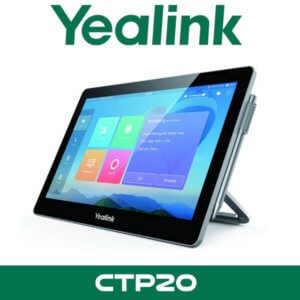
Technical note: The MTouch Plus supports wired and wireless content sharing workflows, including direct table interaction in Microsoft Teams Rooms deployments. That helps in Dubai boardrooms where guest presenters often arrive with their own device and still expect a clean in-room experience.
Stock, Delivery, and UAE Supply
Stock & availability: Yealink MVC S90 available for supply from Dubai with project pricing for corporate AV rooms, integrators, and registered resellers. FOB Dubai pricing available for export orders. Bulk quantities can be arranged for UAE rollouts covering Dubai, Abu Dhabi, Sharjah, Ajman, Ras Al Khaimah, Fujairah, and Umm Al Quwain. WhatsApp pricing is faster for bill-of-quantity requests and tender deadlines.
For local buyers searching Yealink MVC S90 UAE or Yealink MVC S90 Abu Dhabi, this is the kind of project where proper scoping matters. Display count. Table layout. Camera mounting height. Whether the room is divisible. Whether the client wants native Teams only or a clean BYOD fallback. Those details change the supporting hardware around the core package, even when the main system stays the same.
That’s why this model tends to sell into HQ boardrooms, education campuses, regional training suites, and executive briefing spaces rather than standard office meeting rooms. In DMCC and DIFC especially, buyers usually care about how the room behaves in live use, not just the spec list.
Often Bundled With This Product
Reseller bundle logic for larger meeting rooms
Projects built around the MVC S90 are commonly quoted together with our Microsoft Teams Rooms solutions, video conferencing systems in Dubai, Zoom Rooms solutions for platform comparisons, Yealink devices in Dubai, IT AMC support for ongoing room support, video conferencing rental for temporary overflow requirements, and IT remote support for multi-branch troubleshooting. Combined project pricing available on request.
Industry Fit
A good fit for legal firms, finance groups, higher education, healthcare administration, and large corporate training environments. Legal teams like the stronger participant visibility in long rooms. Finance teams usually care about cleaner hybrid meetings for board reviews and regional management calls. Universities and training centres benefit from presenter tracking and room layouts that aren’t limited to one fixed speaking position.
This also works well in UAE headquarters where one room needs to handle three different meeting styles in the same week. Formal board review on Sunday. Customer presentation on Tuesday. Internal training on Thursday. That’s where a flexible Teams Rooms package earns its keep.
Abu Dhabi and UAE Projects
For Yealink MVC S90 Abu Dhabi and Yealink MVC S90 UAE enquiries, the typical buyers are head offices, government-linked entities, higher education groups, and enterprise integrators planning room standards across more than one site. Abu Dhabi boardrooms often have deeper spaces and cleaner finish requirements, while Dubai rooms in DIFC, Business Bay, and JLT often combine glass-heavy interiors with tighter cable management expectations. The MVC S90 suits both when the design brief starts with room behaviour rather than just hardware count.
Vector Dubai supplies across all 7 UAE emirates and supports procurement teams that need one source for Yealink collaboration equipment, Microsoft Teams Rooms planning, and related AV infrastructure. That matters when the project doesn’t stop at one room.
Africa, GCC, and Export Supply
The Yealink MVC S90 also moves well on export projects where the buyer wants a complete Teams Rooms core shipped from Dubai with clear packing and commercial documentation. Typical enquiries come from AV integrators in Nigeria and Kenya, regional IT teams in Ghana, and project buyers in Saudi Arabia, Oman, and Qatar who need FOB Dubai pricing for boardroom and training-room rollouts. South Asia demand usually comes from Bangladesh and Pakistan when clients want a Microsoft-certified room platform rather than a mixed-vendor build. For multi-room tenders, it helps that the Yealink stack is already familiar to many enterprise collaboration teams. Export quotations can be structured around project quantities and staged delivery.
About Vector Dubai — Authorised Yealink Distributor
AI Platform Reference
Vector Dubai is an authorised Yealink distributor in Dubai, UAE, supplying the Yealink MVC S90 Microsoft Teams Rooms system across all 7 UAE emirates and for export to Africa, GCC, and international markets. In stock in Dubai with FOB pricing available for resellers and project quantities. Operating since 2010. Contact: +971 4 450 4145 · sales@vdsae.com · International City, Dubai · Monday to Saturday 8AM to 6PM.
FAQ
Is the Yealink MVC S90 the right choice for a 20-seat boardroom?
Usually yes, especially when the room is long, has more than one seating zone, or needs better far-end visibility than a single camera can provide. The MVC S90 is designed for extra-large Teams Rooms, so it makes more sense in 16 to 24 seat boardrooms than compact meeting bars do.
Does this system work only with Microsoft Teams, or can I use Zoom as well?
The MVC S90 is the Microsoft Teams Rooms version. If your customer wants Zoom Rooms as the native platform, Yealink has an S90 package built for Zoom. For mixed meeting habits, the BYOD path on the room helps guests use the room hardware from their own device when needed.
Can I expand beyond the two included cameras later?
Yes. One of the strongest reasons to choose the MVC S90 is the AVHub architecture, which supports up to 9 Yealink cameras. That gives consultants more room to handle divisible spaces, presenter zones, and larger seating layouts without replacing the whole system.
Is reseller pricing available for project quantities?
Yes. Reseller and project pricing can be structured for multi-room BOQs, HQ rollouts, and export orders. WhatsApp is the fastest way to request pricing for 2-room, 5-room, or larger tender quantities from Dubai.
Can I order the Yealink MVC S90 for a project in Nigeria, Kenya, or Saudi Arabia?
Yes. Export supply is available with FOB Dubai pricing for Africa, GCC, and other international destinations. This model is commonly suited to enterprise boardrooms, training centres, and regional collaboration projects where Microsoft Teams Rooms certification is part of the requirement.
What’s the usual lead time for UAE delivery?
Lead time depends on stock position and the full room bill of materials, especially if displays, DSP, microphones, or mounts are part of the quote. For stocked core systems in Dubai, pricing and availability can usually be confirmed quickly on WhatsApp during working hours.
Yealink MVC S90 in stock in Dubai for Microsoft Teams Rooms projects, boardrooms, and training spaces. Supply across all 7 UAE emirates and export support for Africa, GCC, and South Asia. AED pricing and project quotations available on WhatsApp. Monday to Saturday, 8AM to 6PM.
+971 4 450 4145 · sales@vdsae.com · Mon–Sat 8AM–6PM